Google has started rolling out the November 2026 system update (17.CL3B.260622.286.R2) for Googlebook, as announced on the official community forum.
This update is expanding across all five first-generation Googlebook models, bringing security patch updates, around 30 bug fixes, and general stability improvements.
Build Number and Fix Details
In the November 2026 Googlebook system update, the OS build number is updated from 17.CL3B.260622.276.R5 to 17.CL3B.260622.286.R2. The system-wide Android security patch level is updated to November 1, 2026, addressing roughly 60 common vulnerabilities and exposures (CVEs).
We confirmed the update delivery on both our Lenovo Googlebook 15 and Dell XPS Googlebook test units. The update download size was 164 MB on the Lenovo Googlebook 15 and 181 MB on the Dell XPS Googlebook.
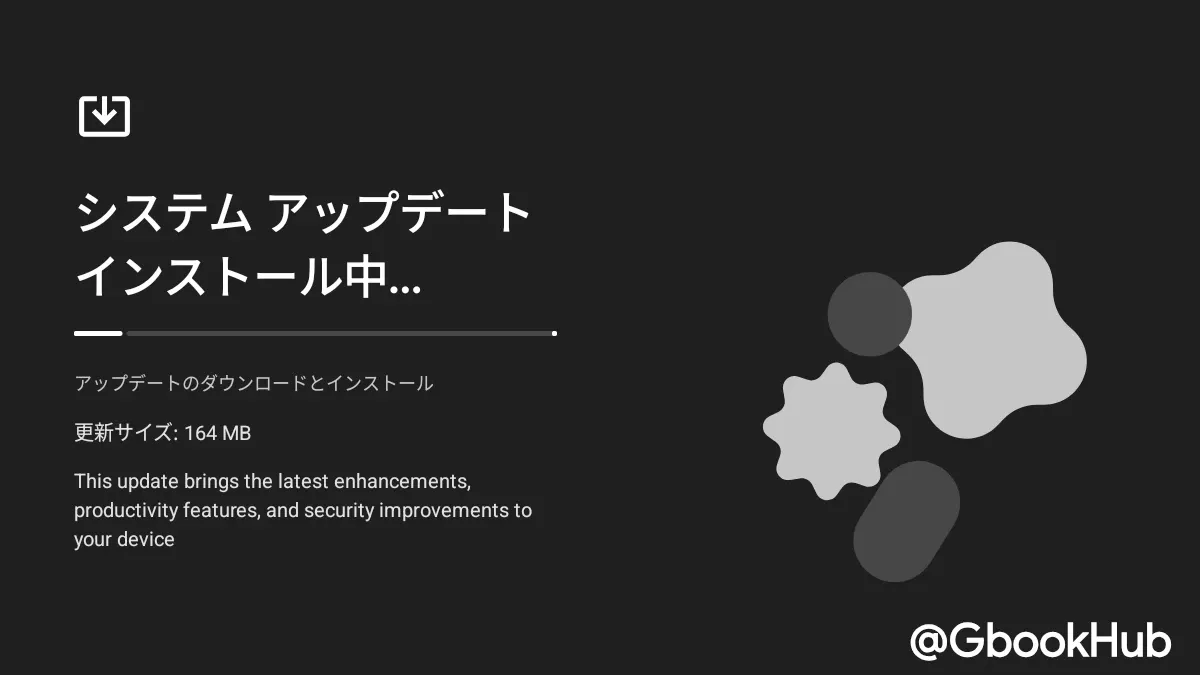
The update includes roughly 30 fixes—comprising general fixes applied across all devices as well as device-specific targeted fixes depending on hardware configurations.
Inputs & Desktop UI
Regarding inputs and the desktop system UI, seven items have been fixed or improved:
-
Lock Screen Input Recognition: Resolved a race condition where password or PIN entry would occasionally fail to register immediately after waking the laptop from sleep or opening the lid.
-
"Files" App Notification Cleanup: Removed redundant clipboard overlays and pop-up notifications displayed in the bottom-right corner when copying files inside the Files app.
-
Wallpaper & Style Stability: Fixed an issue where browsing wallpaper options could cause the Wallpaper & Style app to hang with an infinite loading spinner or crash.
-
Settings > Tips & support: Updated to open the official Googlebook Help Center instead of general support articles.
-
Settings > Devices & accessories > Physical keyboard: Changed the displayed name to "Built in Keyboard" (or device name Keyboard) rather than internal driver names, and removed legacy navigation gesture guides unsuitable for laptops.
-
Built-in Keyboard and Touchpad Responsiveness: Updated sensor hub firmware to improve keyboard and touchpad responsiveness when returning to clamshell mode from tablet or tent mode (Acer Googlebook 14).
-
Touch Responsiveness and Accuracy Improvements: Touchscreen firmware updates improved touch responsiveness and tap/drag accuracy (Dell XPS Googlebook 13).
Display, Graphics, & Video Conferencing
Six fixes focus on external monitor connectivity and video playback issues:
-
Zoom App Stability: Fixed graphics compiler crashes when enabling Background Blur, Virtual Backgrounds, Video Filters, or 3D Avatars in Zoom.
-
Wallpaper Display on External Monitor Disconnection: Fixed an issue where unplugging dual external monitors caused external desktop wallpaper to cover the built-in display, hiding the taskbar and app icons.
-
DRM-Protected Video Playback on External Displays: Fixed an issue where playing DRM-protected content (like Netflix) on a connected external monitor resulted in audio playing with a black screen (HP Googlebook 14 / Dell XPS Googlebook 13).
-
Protected Video Pause Issue: Fixed an issue where pausing protected video on an external display for over 5 seconds turned the external screen black (HP Googlebook 14 / Dell XPS Googlebook 13).
-
USB-C Hub and MST Disconnection: Resolved display driver crashes causing laptop reboots when unplugging USB-C hubs or DisplayPort daisy-chain (MST) multi-monitor setups (HP Googlebook 14 / Dell XPS Googlebook 13).
-
60 FPS HDR/HLG Video Display Issues: Fixed an issue where playing 60 FPS HDR/HLG video under indoor lighting caused the screen backlight to dim unexpectedly, oversaturate UI colors, and flicker (HP Googlebook 14 / Dell XPS Googlebook 13).
Bluetooth & Audio
Addressing previously reported audio sync issues and peripheral connectivity:
-
Bluetooth Audio Delay (Lip-Sync) Resolution: Switched Bluetooth audio routing to a host-side software pipeline, fixing noticeable audio lag during YouTube and video playback when using Bluetooth headphones and earbuds like Pixel Buds Pro 2 (HP Googlebook 14 / Dell XPS Googlebook 13).
-
ASHA Hearing Aid Audio Routing: Updated routing algorithm so connected Bluetooth Low Energy (ASHA) hearing aids can be selected for audio output instead of playing through internal speakers (HP Googlebook 14 / Dell XPS Googlebook 13).
-
BLE Mouse Auto-Reconnect: Fixed paired Bluetooth Low Energy (BLE) mice (such as Logitech MX Master, Pebble, and Lift) failing to automatically reconnect after rebooting (Note: for mice paired on earlier builds, unpairing and re-pairing after updating is recommended).
-
USB Microphone and Audio Interface Recording Fix: Fixed audio buffering issues preventing audio recording on devices like Focusrite Scarlett, Elgato Wave, and Blue Yeti USB microphones.
System Performance & Update Reliability
System-level improvements optimize memory management, firmware, and kernel stability:
-
Browser Memory Stability: Optimized on-device AI service (AICore) background memory bindings, improving memory recovery under heavy browser tab workloads and reducing unexpected tab reloads/crashes in Chrome.
-
On-Device AI Memory Footprint Reduction: Updated NPU driver memory management to reduce system RAM usage by 3–6 GB, improving multitasking stability on 16 GB models (Acer Googlebook 14 / ASUS Googlebook 14 / Lenovo Googlebook 15).
-
UX Performance Improvements: Resolved sensitivity issues related to GPU memory fragmentation (Acer Googlebook 14 / ASUS Googlebook 14 / Lenovo Googlebook 15).
-
Firmware Installation Issue Fix: Fixed an issue causing some devices to revert to factory boot firmware and experience unexpected reboots during idle or normal use (HP Googlebook 14 / Dell XPS Googlebook 13).
-
Linux 6.18 Kernel Updates: Applied CPU microcode updates on initial boot, stability fixes for the Linux 6.18 kernel, and Linux 6.18 GKI security patches (Acer Googlebook 14 / ASUS Googlebook 14 / Lenovo Googlebook 15).
-
Linux 6.12 Kernel (GKI) Updates: Applied Android 16 security patches, USB-C DisplayPort stability fixes, display suspend/resume watchdog crash fixes, and Multi-Stream DisplayPort HDCP 1.x content protection support (HP Googlebook 14 / Dell XPS Googlebook 13).
-
Boot-Slot Priority Fix: Fixed a boot-slot priority issue that could cause a device to enter a repeated reboot loop if an update was interrupted.
-
Google Security Chip (Ti50) Firmware Update: Applied enhanced GSC firmware protections and anti-rollback across all models, fixing an issue where selecting "Power off" caused an automatic reboot instead of shutting down (HP Googlebook 14).
-
EC Power State Transition & Hardware Control Fixes: Fixed high fan noise when closing the lid (Dell XPS Googlebook 13), improved YouTube/web video playback latency, and fixed camera initialization failures after rebooting or opening the lid (HP Googlebook 14 / Dell XPS Googlebook 13).
-
Background Services and Diagnostics: Fixed com.android.phone crashes, expanded system log buffer capacity, and enabled detailed Wi-Fi diagnostic logs in production builds.
-
Hardware Configuration & Recovery Updates: Updated hardware mapping tables to support upcoming 32 GB models, added support for additional flash memory components, and improved partition flashing (Acer Googlebook 14 / ASUS Googlebook 14 / Lenovo Googlebook 15).
Linux Terminal (Beta)
For the beta Linux terminal environment, connectivity and reliability fixes were applied:
-
Enhanced Antigravity Integration Reliability: Fixed several stability issues in the interface between the terminal and Antigravity.
-
Connection Persistence Across Sleep and Tab Switching: Maintained active shell sessions (including long-running CLI tools) when waking from sleep or switching tabs.
-
Port Forwarding and SSH Stability: Maintained TCP port forwarding (including SSH connections on port 2222) during rapid port updates or multiple process operations.
-
Multi-Window and Tab Management Improvements: Fixed accidental closure when clicking inactive tabs, prevented Linux VM shutdown when closing windows while other windows remain open, and resolved memory leaks upon tab closure.
-
Non-Destructive System Updates: Refreshed Linux VM configuration files in-place during system updates without resetting user Linux storage or deleting custom openssh-server settings.
-
Terminal Input Privacy Protection: Hardened system logging to ensure keystrokes and console output inside the Linux Terminal are never written to system diagnostic logs.
How to Update
You can check for the latest system update just like on Pixel or Android devices by navigating to Settings > System > Software updates > System update and clicking Check for update.
This update is rolling out gradually to all five launch models. To ensure kernel and firmware updates are applied properly, restart your device following on-screen prompts after installation.
In our testing, we verified that an issue where the Elgato Wave:3 microphone was not recognized properly has been resolved. However, regarding the screen flickering issue on the Dell XPS Googlebook, although the frequency appears reduced, it reoccurred during our checks, suggesting it may not be completely fixed yet.