

Googlebook, powered by Android-based Aluminium OS (ALOS), features deep integration with smartphones as one of its key highlights. While Google has officially announced features like "Cast My Apps" and "Quick Access," code teardowns and leaks have revealed several other features in development, including "Continue On," "Cast trackpad," "Device Intelligence," and "Link to iOS."
Officially Announced Integration Features
When Google first unveiled Googlebook on May 12, 2026, during The Android Show, it officially showcased two core smartphone integration features: Cast My Apps and Quick Access.
Cast My Apps
"Cast My Apps" allows users to launch and interact with apps installed on their smartphone directly from Googlebook. While similar functionality exists in Chromebook's "Phone Hub", Googlebook aims for a seamless experience closer to Apple's iPhone Mirroring on Mac.
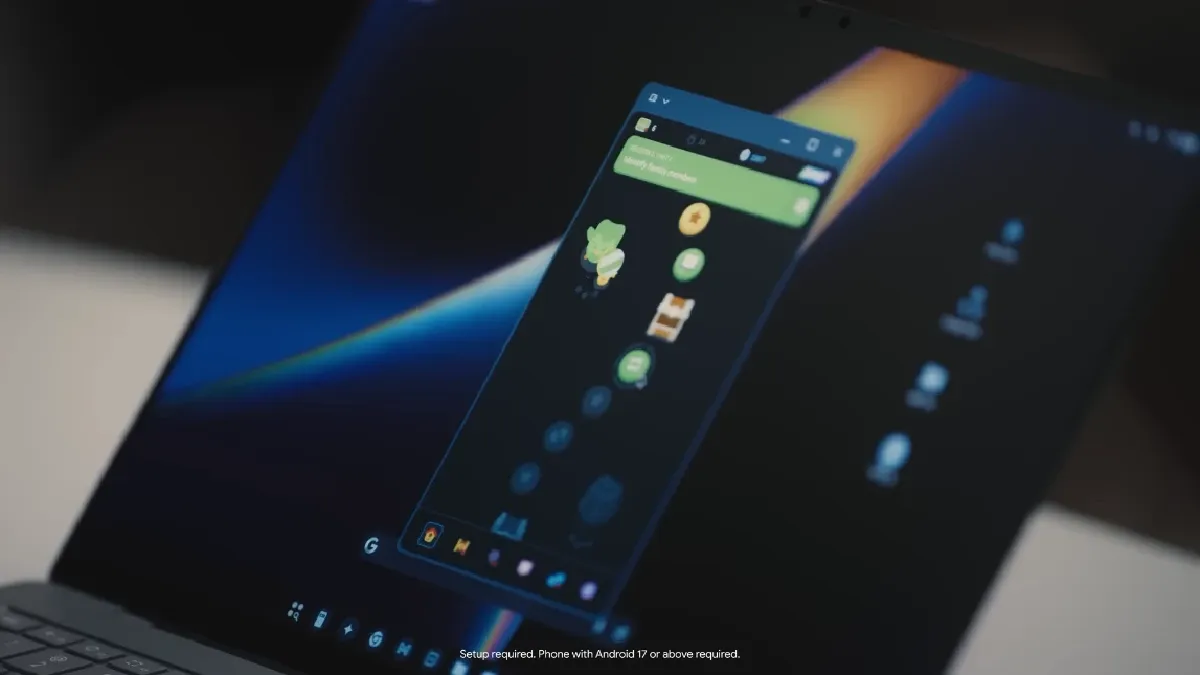
Users do not need to install apps on Googlebook itself. Instead, smartphone apps appear on the Googlebook interface and launch in dedicated desktop windows upon tapping. Keyboard, trackpad inputs, and clipboard content map directly to the active smartphone session.
Quick Access
"Quick Access" enables users to browse, search, and manage files stored on their smartphone directly from the Googlebook file manager. This eliminates the need to manually transfer files or rely on Google Drive as an intermediary.

According to Google, both Cast My Apps and Quick Access require initial setup and a smartphone running Android 17 or later.
Unannounced and Leaked Integration Features
Beyond the features officially announced by Google, code analysis and leaks have revealed several unannounced features currently in development.
Continue On
"Continue On" was introduced at Google I/O 2026 as a new Android 17 feature, providing cross-device task handoff similar to Apple's Handoff. It allows users to seamlessly resume tasks started on a phone on another Android device signed into the same Google Account.

While Google hasn't officially detailed its availability on Googlebook, images from an HP Googlebook 14c support page suggest support for this feature.
Cast Trackpad
Discovered in version 1.0.1283.974003524 of the Cross-Device Services app, "Cast trackpad" allows users to use their smartphone screen as a wireless trackpad for Googlebook. Uncovered settings include gestures for distinguishing point and tap actions, a back button, volume controls, and scrolling direction/sensitivity toggles.
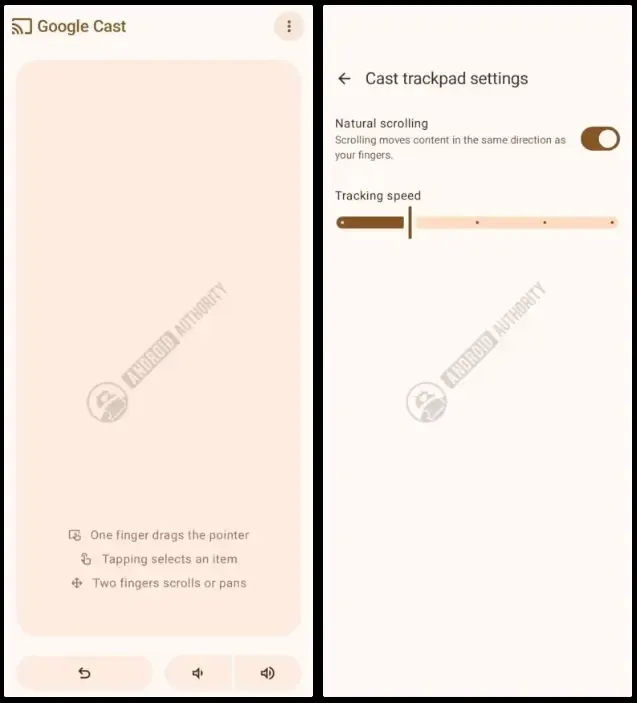
Given that Cast My Apps screens were found in the same version, Cross-Device Services appears to serve as the main hub for these multi-device experiences.
Device Intelligence
An analysis of an early build of Device Intelligence—a system app tailored for Googlebook—reveals local AI features that automatically organize files into folders and integrate with Gemini Notebook.
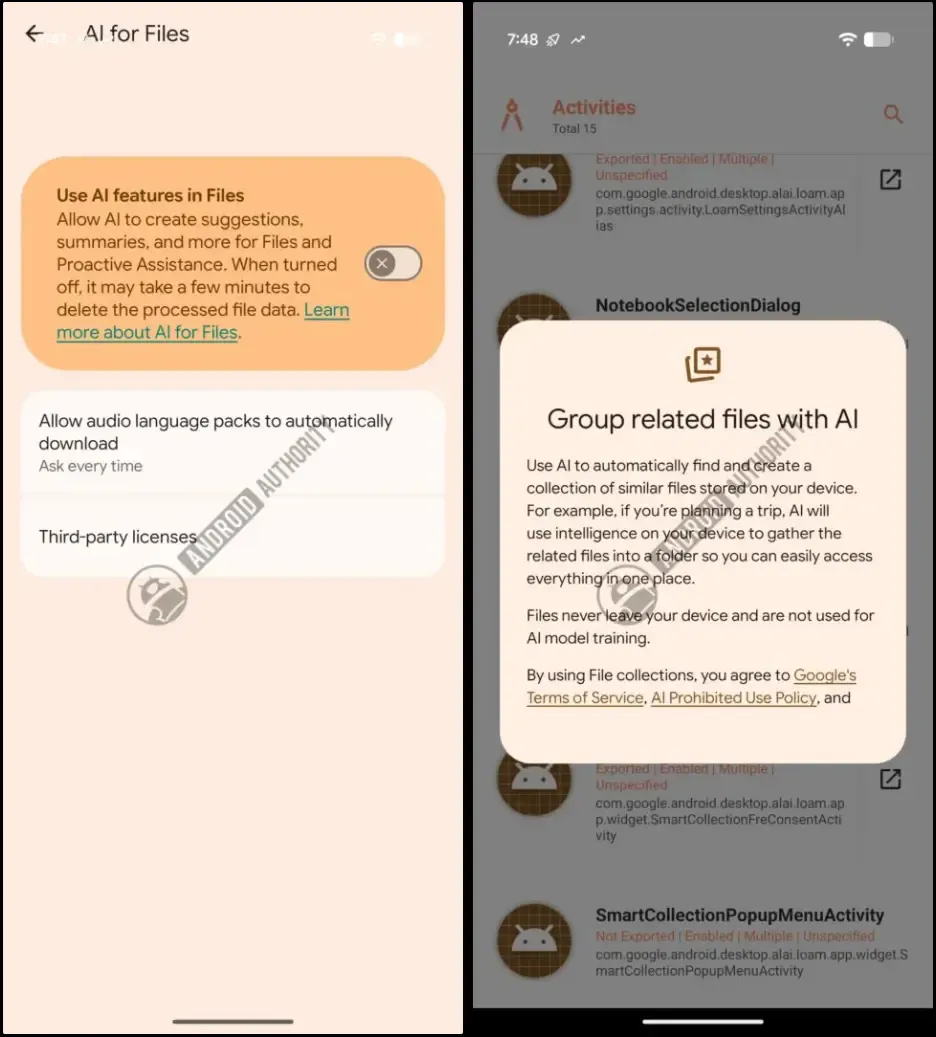
This integration allows users to add local files to Gemini Notebook directly via the share sheet.
Link to iOS
Early builds of Aluminium OS reveal a feature that lets users pair an iPhone via QR code to mirror text messages. At the time of discovery, message mirroring was the primary function observed, though future support for clipboard sharing and file transfers remains possible. While Chromebooks previously offered limited integration with select Android devices, moving to an Android base could open the door for iOS compatibility.
Summary
To date, Google has officially confirmed only two smartphone integration features for Googlebook: Cast My Apps and Quick Access. Additional features—Continue On, Cast trackpad, Device Intelligence, and Link to iOS—have surfaced through leaks and code analysis, but none have been officially confirmed for release on Googlebook.
Although Google is hosting a media preview event for Googlebook on September 15, consumer-facing announcements are not expected at that time.