

Lenovo Vantage, a dedicated app for managing and customizing Googlebooks and compatible peripherals, has been spotted on the Google Play Store.
App store screenshots and descriptions reveal that the application enables users to monitor device status, adjust DPI and RGB lighting settings for the Lenovo AI Mouse for Googlebook, and set up exclusive lighting animations tied to Gemini integration.
Unified Device Information and Warranty Management
Originally developed as a device management suite for Windows PCs, Lenovo Vantage has now been optimized as an Android app tailored for Googlebooks running Aluminium OS (Android 17).
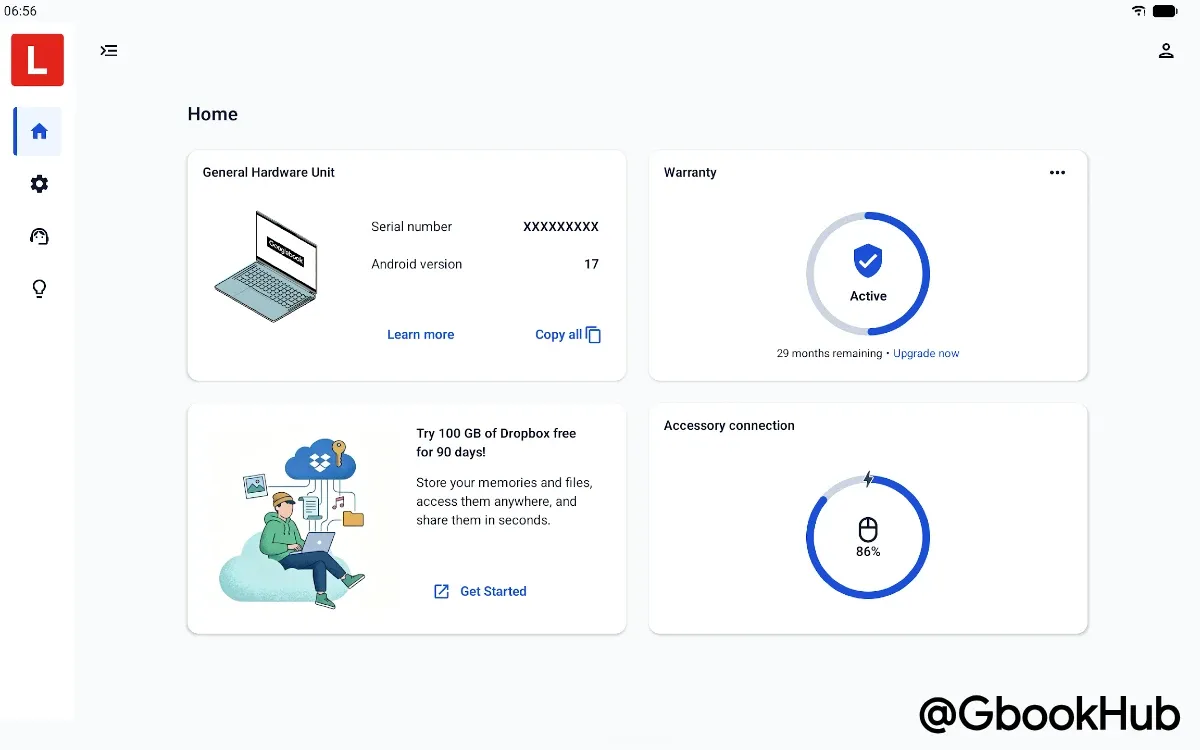
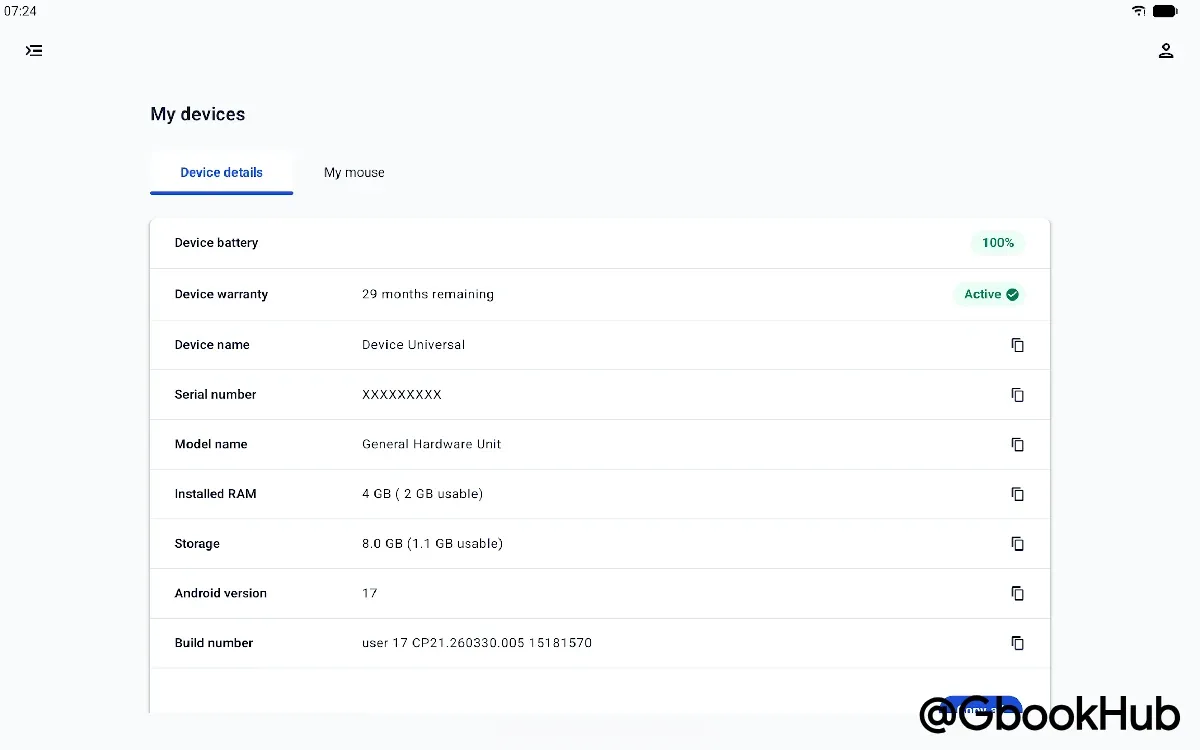
On the app's home screen and "Device details" tab, users can view hardware specs and real-time system status for their Googlebook, including:
-
System Status: Detailed device specifications such as OS version (Android 17), serial number, installed RAM (4GB), internal storage capacity, and build number.
-
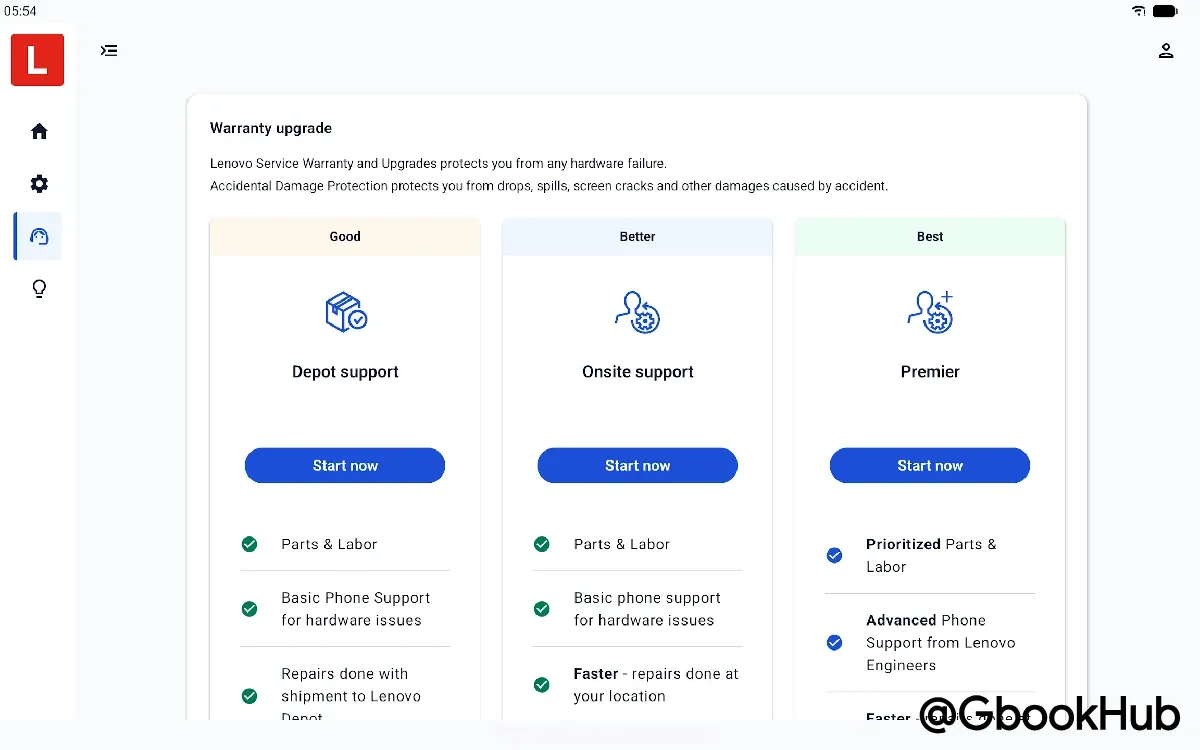
Warranty Status & Support Services: Active warranty status (e.g., 29 months remaining) along with options to request repairs or upgrade to plans like Depot support, Onsite support, or Premier support.
-
Peripheral Battery Monitoring: Real-time percentage display of battery levels for connected accessories such as mice.
-
Partner Perks: Access to exclusive promotional offers, such as a 90-day free trial of 100GB Dropbox cloud storage.
Fine-Tuning DPI and RGB Lighting for the "Lenovo AI Mouse"
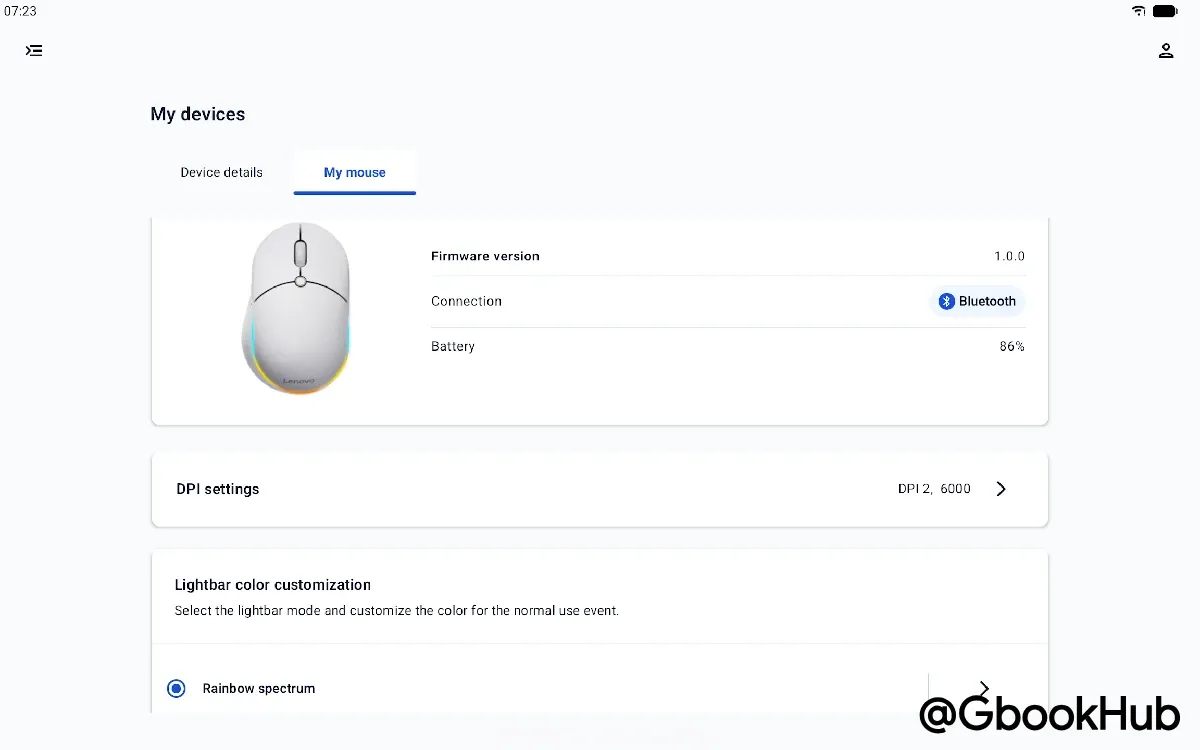
Under the "My devices" peripheral management tab, settings and customizations can be configured for connected accessories. Screenshots showcase the Lenovo AI Mouse for Googlebook as a key example:
-
Connection & Firmware: Monitor connection mode (Bluetooth), firmware version (v1.0.0), and battery percentage.
-
DPI Customization: Switch between predefined DPI profiles or fine-tune resolution settings to match specific workflows.
-
RGB Lighting Control: Adjust lighting effects on the mouse's outer RGB light bar, including dynamic presets like "Rainbow spectrum."
Gemini Shortcuts and Exclusive Lighting Effects via Dedicated AI Key
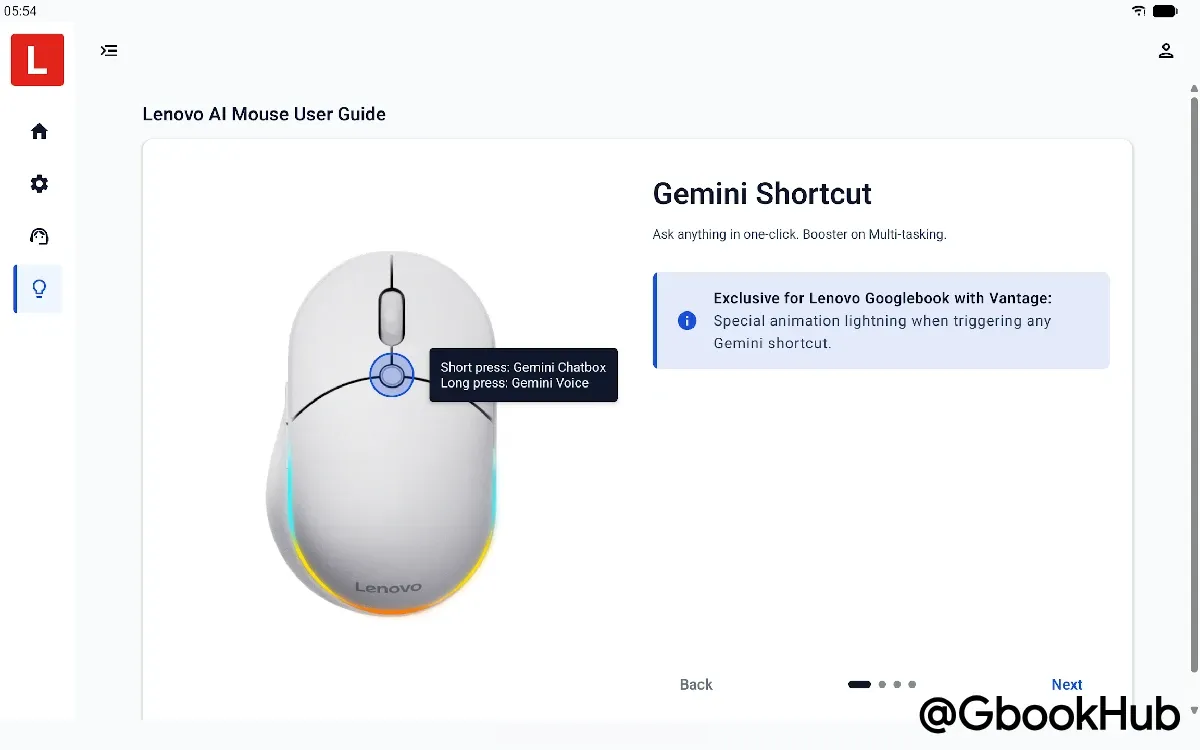
The user guide section highlights configurable actions for the dedicated AI key located at the center of the mouse, along with exclusive Lenovo Vantage features:
-
AI Key Custom Actions:
-
Short Press: Launch Gemini Chatbox
-
Long Press: Launch Gemini Voice (Magic Pointer)
-
Exclusive Lighting Integration for Lenovo Googlebooks: When paired with a Lenovo Googlebook running Lenovo Vantage, triggering a Gemini shortcut activates an exclusive light animation on the device.
Detailed specifications for these features and the AI Mouse were previously revealed on Lenovo's official site.
Conclusion
The arrival of Lenovo Vantage on the Google Play Store highlights how Googlebooks aim to deliver deeper peripheral integration compared to traditional Chromebooks. With pre-orders for the Lenovo Googlebook i (15", 12) set to begin soon, Lenovo Vantage and its companion accessories are expected to officially launch alongside the new hardware.