

Google officially detailed its underlying platform, "Googlebook OS," on September 21, 2026, alongside opening pre-orders for its new laptop category, "Googlebook."
Previously referred to provisionally as "Aluminium OS," it features a hybrid architecture combining Android’s technical stack with ChromeOS’s desktop framework, built around three core pillars: security, updates, and applications.
What is Googlebook OS?
Googlebook OS is built on Android's app permission model and sandbox architecture. Integrated into this is ChromeOS's proven multi-layered defense model, including the Titan security chip, Verified Boot, and on-device malware detection.
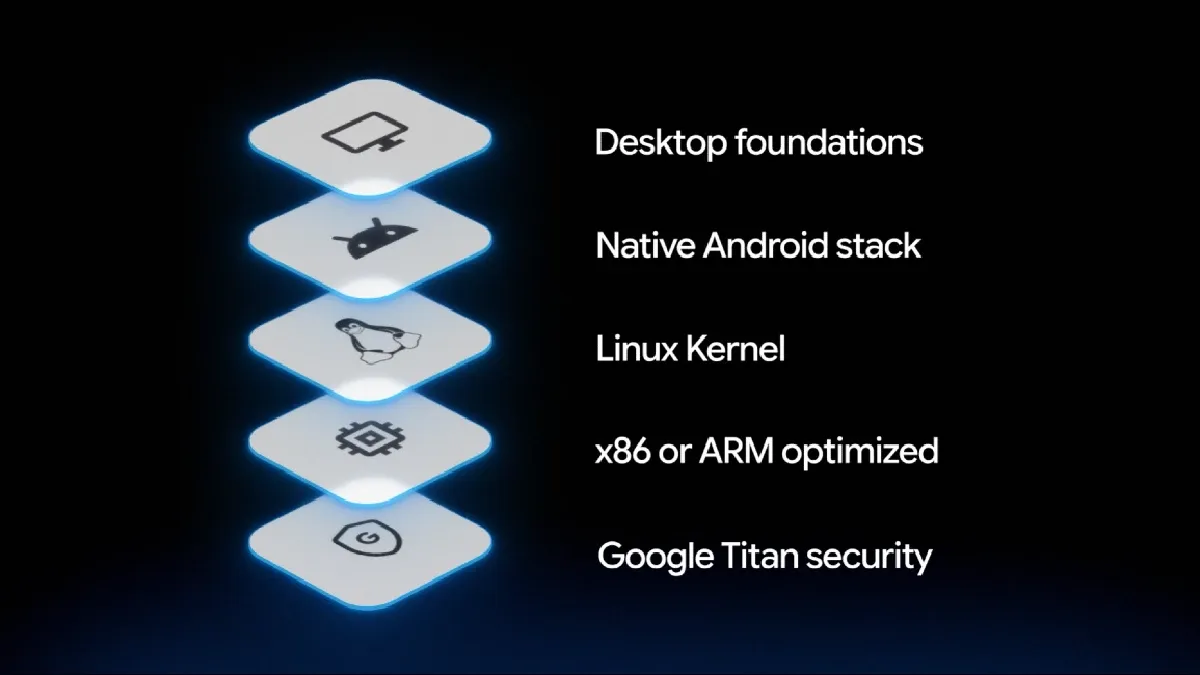
Additionally, it features a pKVM hypervisor that has achieved Level 5 security certification—a first for the laptop category. This provides a completely isolated Linux environment with full terminal access, allowing developers to securely fetch code repositories, access ports and networks, run Linux development tools, and execute autonomous AI agents.
Furthermore, Googlebook OS guarantees up to 10 years of update support, similar to Chromebooks. These updates will include quarterly security updates and feature drops, akin to Pixel devices.
Benefits of Googlebook OS
The key strength of Googlebook OS lies in its optimized integration of web and native applications within a desktop environment.
For instance, Googlebook supports the full desktop version of Chrome with browser extension support, along with millions of Android apps optimized for large screens, keyboards, and mice.
Workspace applications such as Google Docs, Sheets, and Gmail are offered as full desktop web versions, just like on other desktop operating systems. Meanwhile, apps where OS integration (such as widgets), hardware capabilities, and mobile synchronization are crucial—such as Gemini and Keep—are available as native Android apps.
Native applications like Adobe Photoshop, Adobe Lightroom, and CapCut run at full performance, with support for offline viewing on services like Netflix and HBO Max.
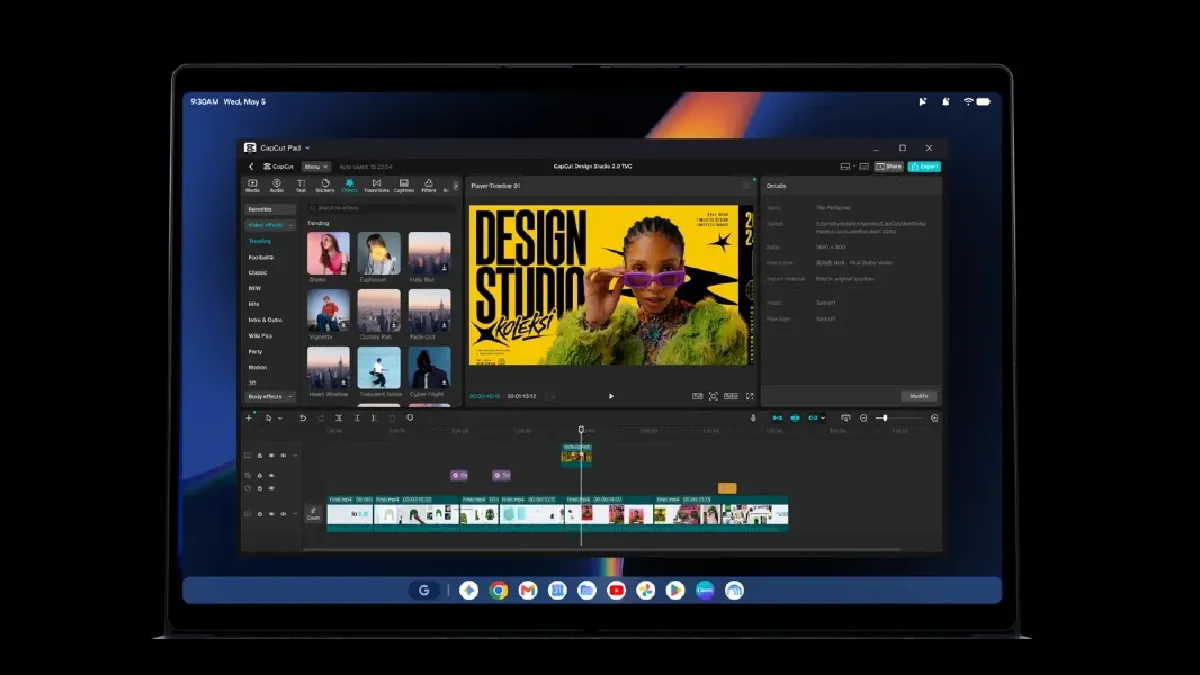
In addition, the AI agent development platform "Antigravity" comes built-in, enabling on-device building, testing, and deployment of applications. It also supports full agentic coding via terminal tools like Claude CLI and Antigravity CLI.
Seamless Integration with Android Smartphones
Leveraging its shared Android foundation, Googlebook OS delivers deep cross-device integration with Android smartphones.
During initial setup, settings, Wi-Fi networks, saved passwords, and messages are automatically transferred from your phone via end-to-end encryption. Other key features include:
-
Continue On: Resume tasks started on your phone directly from the Googlebook taskbar. Supported apps include third-party apps like BandLab, as well as first-party apps such as Google Photos, Google Calendar, Google Docs/Sheets/Slides, Chrome, and Gmail.
-
Quick Access: Directly access, search, and browse files and photos on your smartphone via the Googlebook Files app.
-
Cast My Apps: Stream and interact with apps installed on your phone in desktop windows on Googlebook without interrupting your workflow.
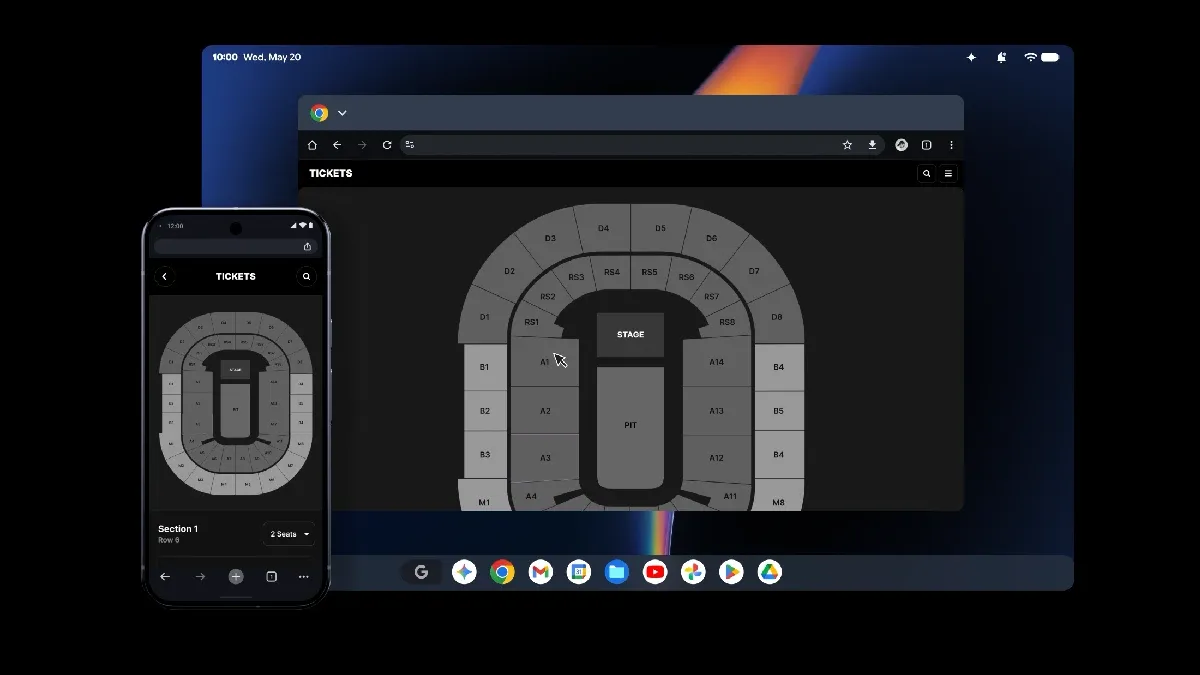
While these three features were previously announced, Google plans to introduce additional cross-device capabilities in the future.
Gemini Intelligence Integrated into the Desktop
Googlebook OS integrates Gemini Intelligence directly into the system, enabling features such as:
-
Magic Pointer: Trigger Gemini by shaking the mouse cursor. It reads on-screen context to help organize your calendar, translate text, and perform contextual actions.
-
Create My Widget: Generate personalized desktop widgets simply by entering natural language prompts.
-
Rambler: Cleans up stream-of-consciousness speech, pauses, and fragmented thoughts, turning voice input into structured text.
While Magic Pointer and Create My Widget were previously announced, this official unveil confirmed that Rambler—a voice input feature first introduced on the Pixel 11 series—will also be available on Googlebook.
Conclusion
This official announcement clarifies the official name "Googlebook OS" and its hybrid architectural vision blending Android and ChromeOS.
Built on this foundation is the fusion of web and native apps, seamless Android smartphone connectivity, and integrated Gemini Intelligence, reaffirming that Googlebook OS is not merely a Chromebook/ChromeOS successor, but a distinct new platform category.
At the same time, core ChromeOS advantages—such as multi-layered defense via Titan security chips and Verified Boot, along with up to 10 years of update support—remain intact.
For full technical specifications and hardware details on announced Googlebook models, visit "Googlebook Products and Specs".