

Through a Google Play Services update, a new "Continue Activity" setting has been added under Cross-Device Services on Pixel and Android devices running Android 17.
This setting enhances integration between Android smartphones and the upcoming Googlebook, allowing users to individually toggle synchronization for tasks, apps, notifications, and file and media sharing across devices.
5 Configurable Settings
On Pixel devices, "Continue Activity" can be accessed via [Settings] > [Google Services & Settings] > [All Services] > [Cross-Device Services] > [Continue Activity].
This setting includes the following five options:
-
Tasks: Sync across devices to resume right where you left off
-
Apps: Use apps on other devices
-
Notifications: Sync notifications across multiple devices
-
File and media sharing: Access files from multiple devices
-
Do Not Disturb: Sync Do Not Disturb status across devices (Confirmed in Android 17 QPR2 Beta)
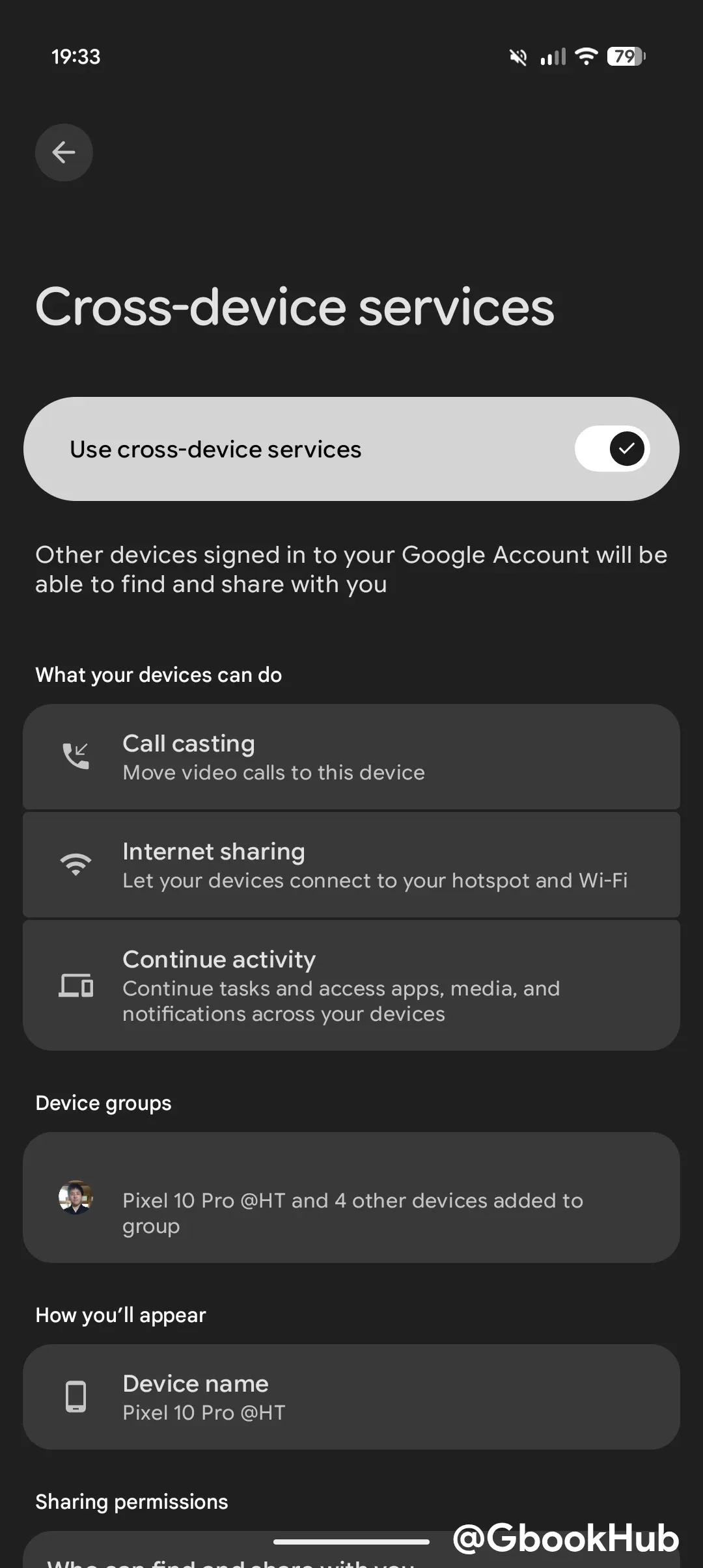
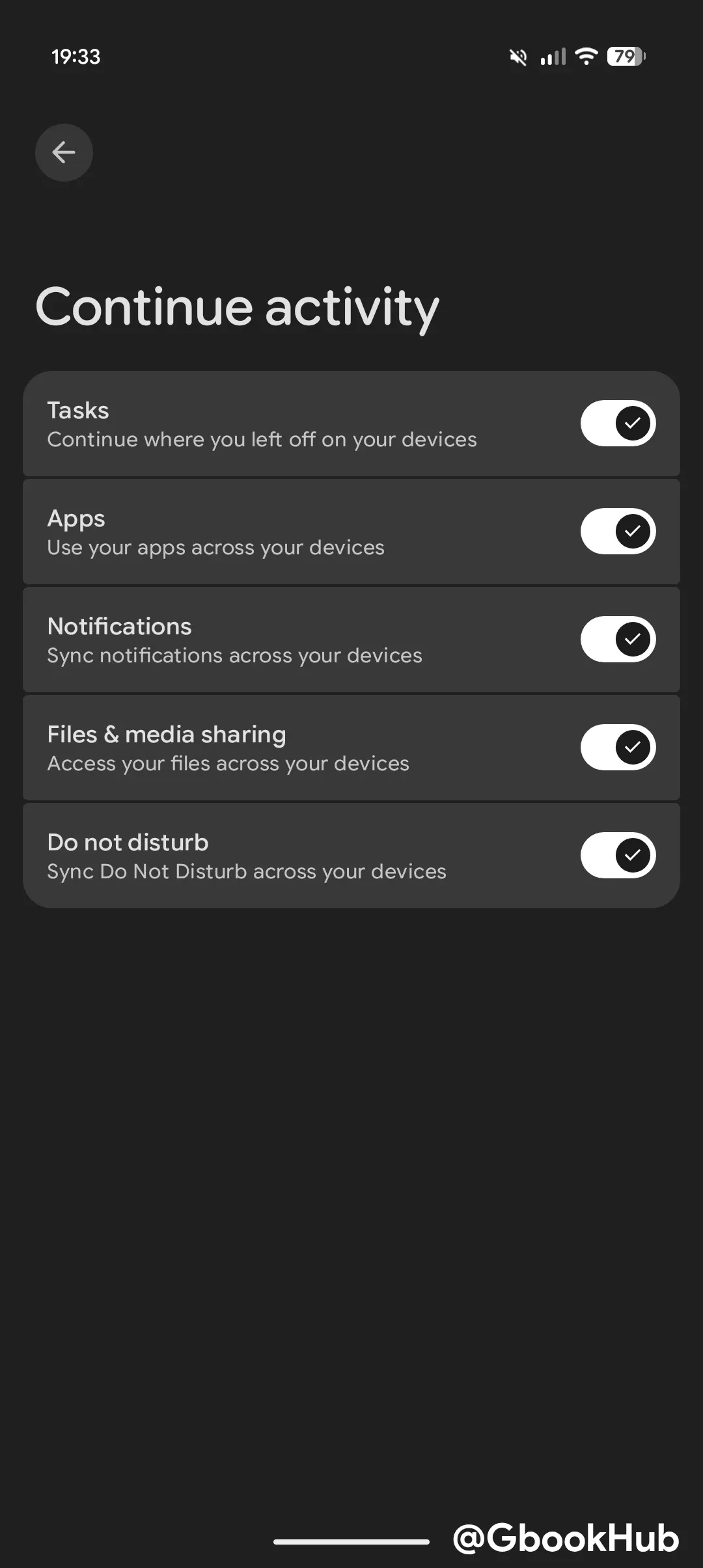
Enabling these features prompts a permission screen requesting access to screen mirroring, app streaming, notifications, and photos and media.
Among these, "Tasks" appears to refer to "Continue On," which allows users to seamlessly hand off work between Android smartphones and tablets while preserving their session state. While official Googlebook support has not been formally announced, an image discovered on the HP Googlebook 14c support page hinted at potential compatibility.
Other features have been confirmed through official announcements and release notes for Google Play Services.
To use these cross-device features, devices must be signed in to the same Google Account, and the smartphone must be running Android 17 or later.
Additionally, Google is actively working on several other features to strengthen Android smartphone integration.