

In this article, I share a hands-on review of the Dell XPS Googlebook, the smallest device among the first wave of Googlebooks.
Equipped with a 13.4-inch display and weighing approximately 1.07 kg, this model is recommended for users who prioritize portability.
Dell XPS Googlebook Specs
The specifications for the Dell XPS Googlebook are as follows:
-
Display: 13.4-inch LCD, 2560 × 1600, 120Hz refresh rate, peak brightness of 500 nits, anti-glare coating, touch support
-
CPU: Snapdragon X Elite X1E-80-100
-
RAM: 16GB LPDDR5X
-
Internal Storage: 512GB NVMe SSD
-
External Storage: –
-
Webcam: 1080p
-
Ports: 2 × USB-C
-
Battery: Up to 18 hours of battery life, up to 65W charging
-
Connectivity: Wi-Fi 7, Bluetooth 6.0
-
Other: Fingerprint sensor, backlit keyboard
-
Dimensions: 296.9 × 200.6 × 12.7 mm
-
Weight: Approx. 1.07 kg
The unit reviewed here is the $999 model purchased from Best Buy in the US, equipped with a Snapdragon X Elite X1E-80-100, 16GB of RAM, and 512GB of storage.
Design and Appearance
The appearance of the Dell XPS Googlebook resembles the Windows XPS series powered by Qualcomm chips. Featuring a metal body paired with the "Shimmer" color option, it has a premium finish.
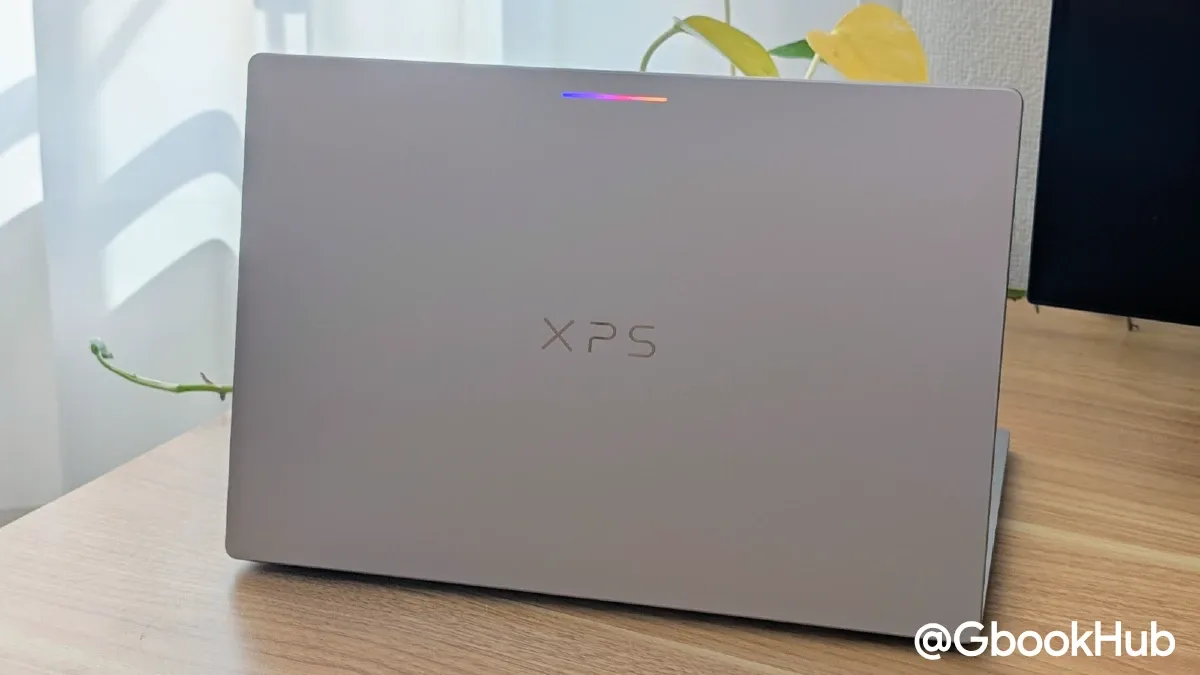
With dimensions of 296.9 × 200.6 × 12.7 mm and a 13.4-inch display, the body is compact, and its weight of around 1.07 kg makes it relatively lightweight. It is the most compact among the first wave of Googlebooks and the second lightest after ASUS, making it a good choice for users who prioritize portability.
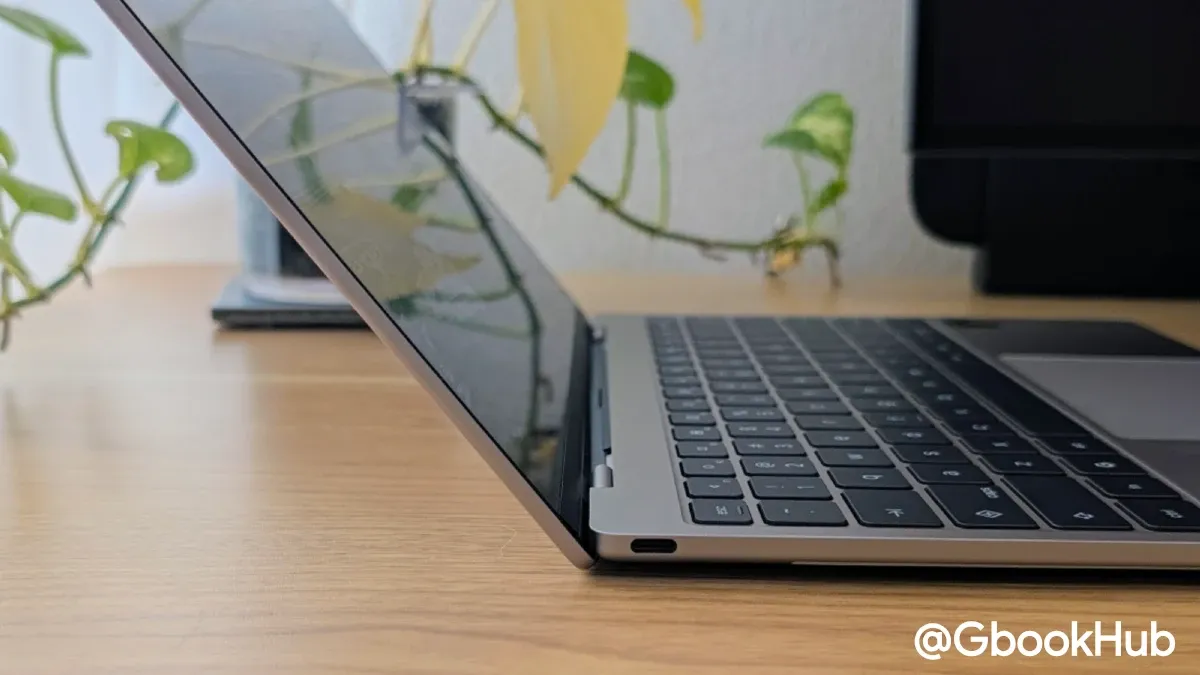
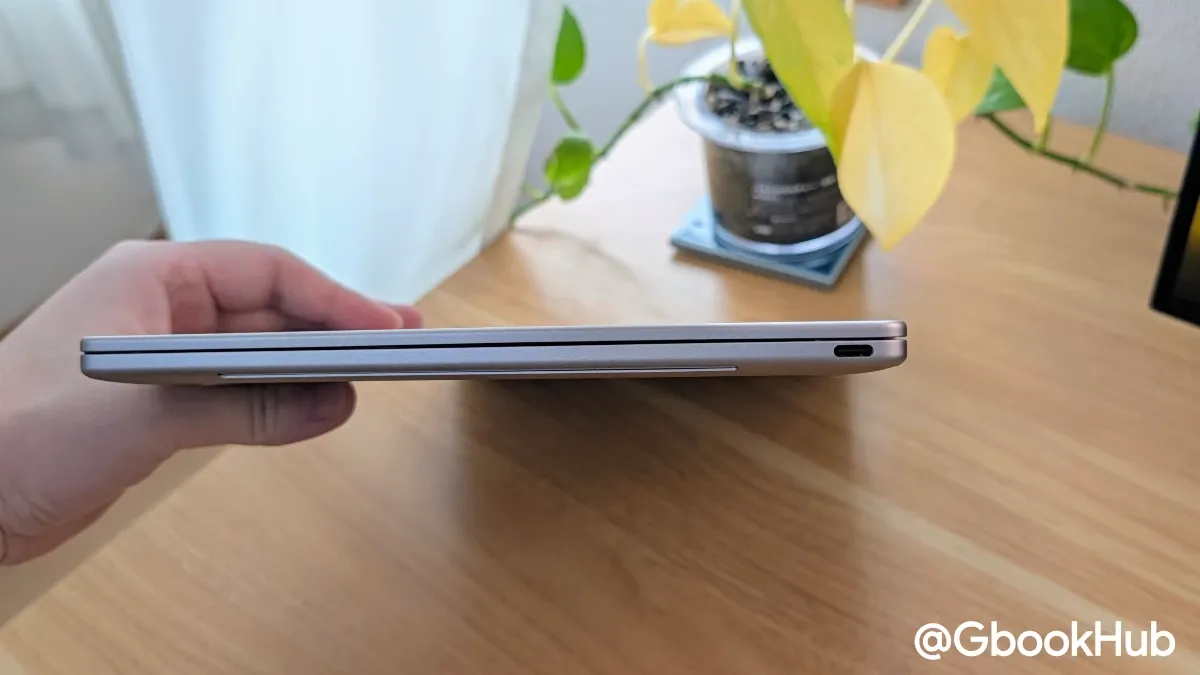
The port selection is simple, with only two USB-C ports, but having one on each side makes cable management easy. Depending on your peripheral setup or whether you use a hub monitor, this should not be an issue. However, the lack of a 3.5mm audio jack may bother some users.
Display
The display on the Dell XPS Googlebook features a 13.4-inch panel with a 2560 × 1600 resolution, a 120Hz refresh rate, and up to 500 nits of brightness. In addition, thanks to its anti-glare coating, screen reflections are much less noticeable compared to the Lenovo Googlebook 15, which is a major advantage.
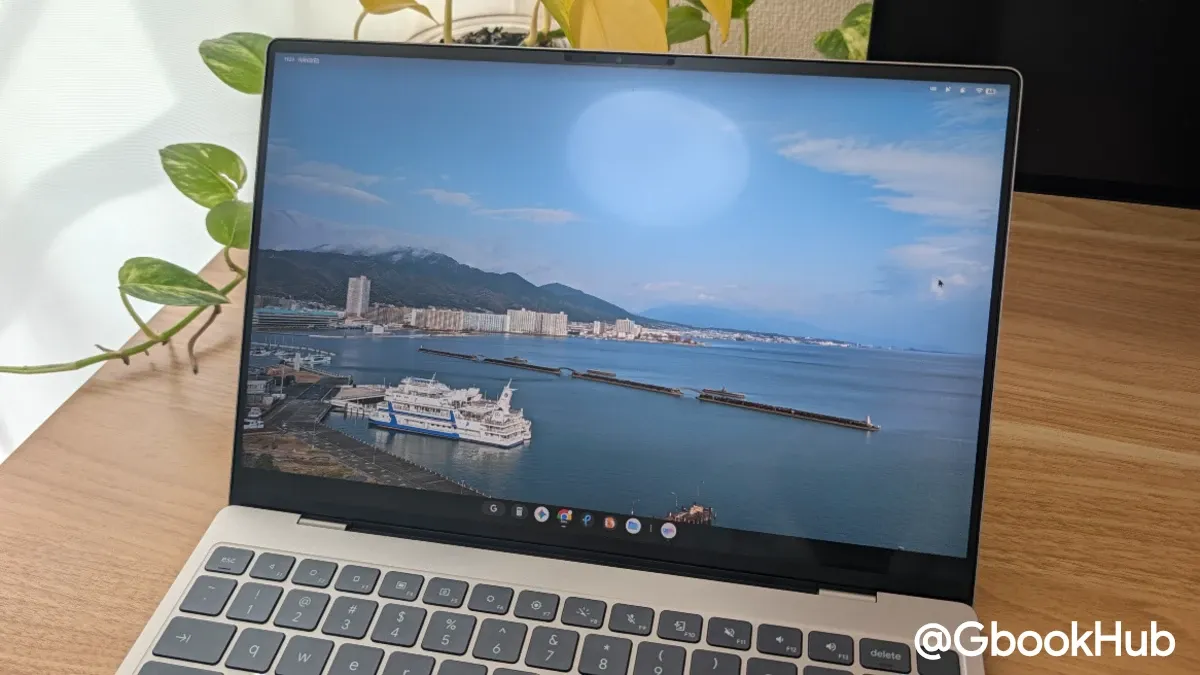
It is the only first-wave model to use an LCD / IPS panel rather than OLED, but colors do not feel problematic in actual use. Furthermore, while it supports auto-brightness, it lacks an HDR brightness adjustment feature. Note that the Dell XPS Googlebook is not equipped with a physical privacy shutter for the webcam.
As a side note, although the hardware specification states a resolution of 2560 × 1600, in actual use, even at the smallest display size setting, 2008 × 1255 is the limit. Unlike Windows or Chromebooks, you cannot use dot-by-dot (1:1 pixel mapping), making it impossible to secure a wide workspace that takes full advantage of the high resolution. This is due to the specifications of Googlebook OS (Android), and the same applies to other Googlebook models.
Keyboard and Touchpad
The keyboard feel is shallow yet firm. While the keys feel slightly small, they press easily, making typing comfortable. Personally, I prefer this over the slightly deeper key travel of the Lenovo Googlebook 15.
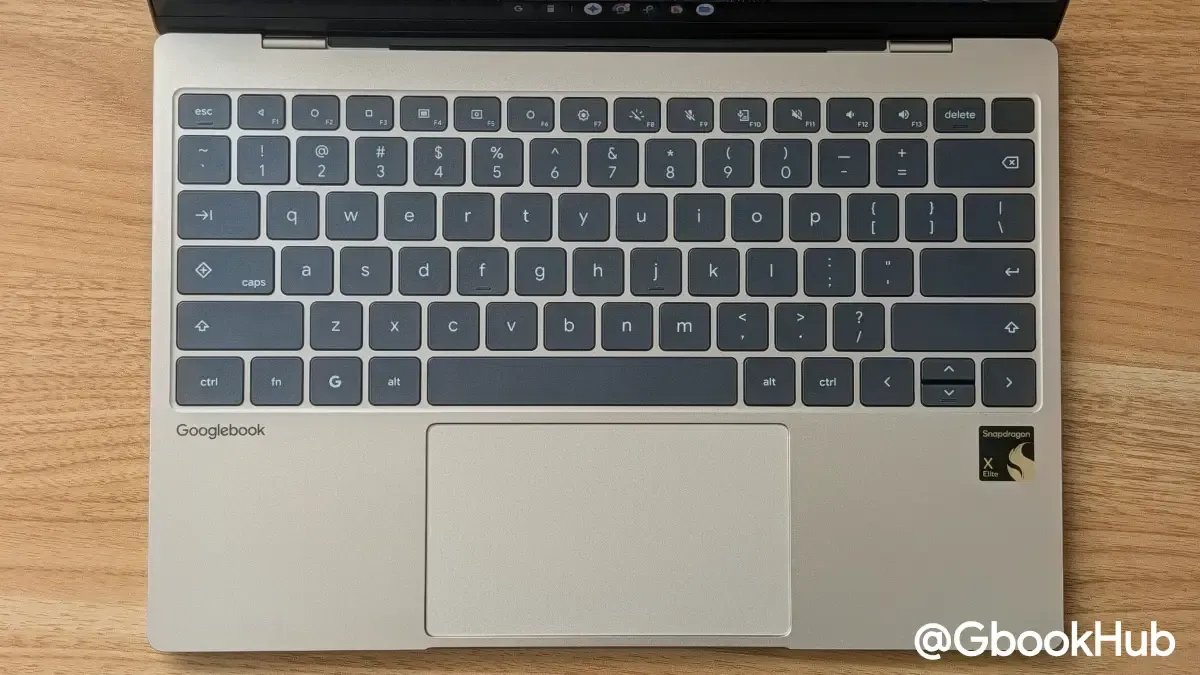
Like Chromebook Plus and other Googlebook devices, the keyboard layout includes the "Quick Insert" key and the "G (Action) key." In addition, there is a power button with a built-in fingerprint sensor in the upper right, with the Delete key placed directly to its left.
Like the Acer model, the touchpad uses a conventional physical click mechanism rather than haptic feedback. While slightly less comfortable than the haptic touchpad on the Lenovo Googlebook 15, there is no significant difference in gliding smoothness or responsiveness. Given that it offers a sufficiently large surface for a 13.4-inch model, I have no complaints.
Performance and Real-World Experience
The Dell XPS Googlebook is powered by Qualcomm's Snapdragon X Elite X1E-80-100, 16GB of RAM, and 512GB of storage. In straightforward benchmark results, the Snapdragon X Elite outperforms the Intel Core Ultra 5 325U found in devices like the Lenovo Googlebook 15, and its performance was more than sufficient in daily tasks. However, GPU performance tends to be somewhat lower than Intel.
|
Benchmark |
Dell XPS Googlebook |
Lenovo Googlebook 15 |
|
Geekbench Single |
2,547 |
2,193 |
|
Geekbench Multi |
12,017 |
8,263 |
|
Geekbench GPU (Vulkan) |
8,002 |
20,362 |
|
Geekbench AI (Single Precision) |
4,709 |
1,210 |
|
Geekbench AI (Half Precision) |
6,973 |
1,184 |
|
Geekbench AI (Quantized Precision) |
6,818 |
1,905 |
|
Octane 2.0 Plus (Single) |
99,473 |
99,137 |
|
Octane 2.0 Plus (Multi) |
706,376 |
468,106 |
|
JetStream |
275 |
246 |
|
Speedometer |
32 |
27 |
|
MotionMark |
4597.12 @ 15fps |
4166.56 @ 60fps |
|
WebXPRT |
83 |
95 |
|
PCMark |
20,755 |
21,012 |
In day-to-day use, I had no complaints regarding the raw performance of either the Intel Core Ultra 5 325 or the Qualcomm Snapdragon X Elite X1E-80-100. Rather, issues surrounding the optimization of Googlebook OS and the Chrome browser were more noticeable.
As I mentioned in my Lenovo Googlebook 15 review and Googlebook OS first impressions, my impression remains unchanged: while the hardware is well-crafted, Googlebook OS has not yet caught up.
However, Google has continued to roll out fixes and improvements since that earlier review, and several issues have already been addressed through Googlebook OS updates and Chrome updates. If these fixes and improvements continue, the experience will undoubtedly become even smoother.
In terms of battery life, it subjectively lasts about 1 to 2 hours longer than the Intel model, making it an excellent device for on-the-go use in this size category. When doing my usual browser-centric work using Chrome, the battery drain was roughly 10% to 15% per hour.
It could be used reliably for 6 to 7 hours, but since I was running Antigravity locally alongside the browser, reducing that load might extend battery life a bit further.
In any case, it easily reaches a satisfactory level as a portable machine and serves as a solid alternative to the Lenovo Chromebook Plus Gen 10.
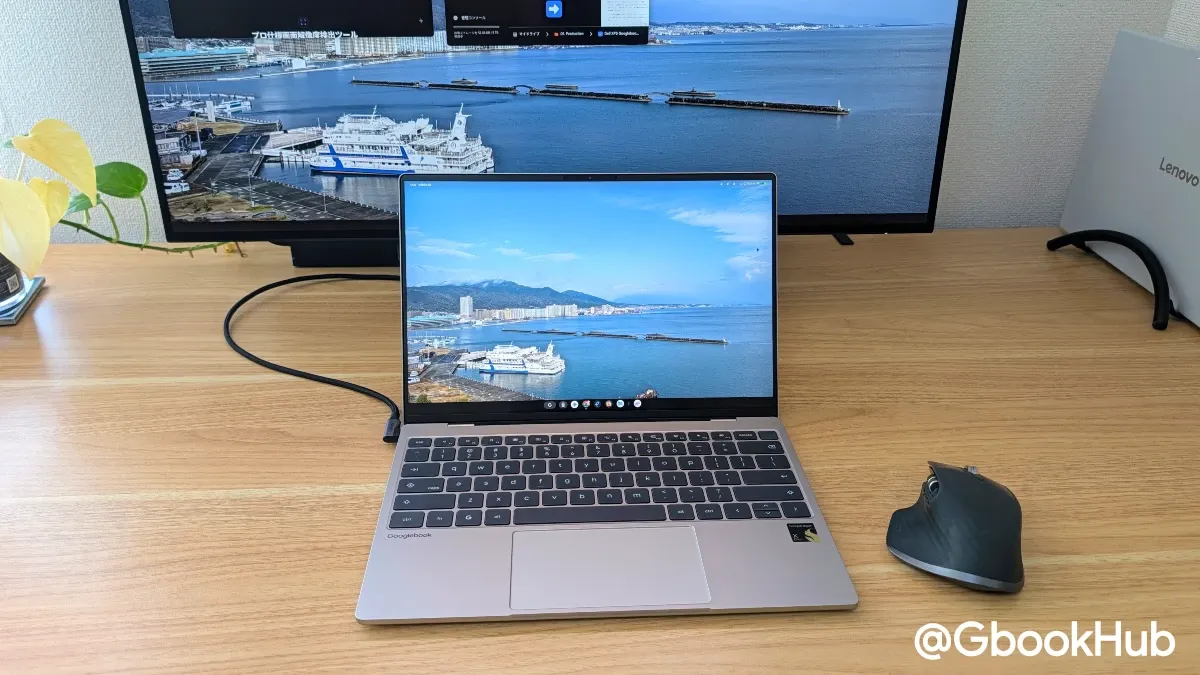
Because the built-in screen is on the smaller side, working on it alone for long periods can feel tight, but pairing it with an external monitor or portable display at home or in the office solves this issue. In my case, I use the Dell XPS Googlebook on the go and switch to the Lenovo Googlebook 15 at home, occasionally connecting the Dell to a monitor as well.
One issue I noticed, however, was that when connecting to a Dell U3225QE (4K / 120Hz) monitor, colors were sometimes unstable with a reddish tint, and the frame rate occasionally became erratic, so you may need to choose your external monitor carefully. That said, the connection stability when attached to an external display feels superior to a Chromebook, so as long as the monitor is compatible, it can be used quite comfortably.
Because the laptop is compact, you might place it side-by-side or stacked with an external monitor up to around 27 inches, or use clamshell mode (docked mode) when pairing it with a 31.5-inch or ultrawide display for a clean setup.
Summary
Overall, there were no glaring issues in use, and there was nothing particularly concerning on the hardware side.
If pressed, one could ask for additional ports, a haptic touchpad, or an OLED panel. However, if those additions increased the weight or pushed up the price, it would defeat the purpose, so the current balance feels right. Also, prior expectations hinted at the possibility of slipping under 1 kg (official materials listed it as 2.2 lbs), so dropping below 1 kg would have been interesting. Still, sacrificing battery life or durability is something I would rather avoid, making this a reasonable trade-off.
Overall, the user experience is very good, making the Dell XPS Googlebook easy to recommend. In terms of price, it is the second most affordable among the first wave of Googlebooks after Acer, making it a great entry point as a first Googlebook.