
Gemini in Chrome is now available on Googlebook through Chrome Beta version 159.0.8154.4. I confirmed it working in a Japanese-language environment on both my Dell XPS Googlebook and Lenovo Googlebook 15.
In parallel, Google's Chrome Enterprise release notes published on November 18, 2026, for Chrome 159 explicitly list Android (including Googlebook OS) among the supported platforms for Gemini in Chrome.
Gemini in Chrome on Googlebook in Chrome 159 Beta
Gemini in Chrome lets you open Gemini from Chrome's side panel to summarize the page you are viewing or ask questions without leaving your tab. While the feature was already available on Windows, macOS, and Chromebook Plus (including in Japanese), it had remained unavailable on Googlebook in Japanese environments since launch, which I noted as a drawback in my Lenovo Googlebook 15 review and two-week impressions.
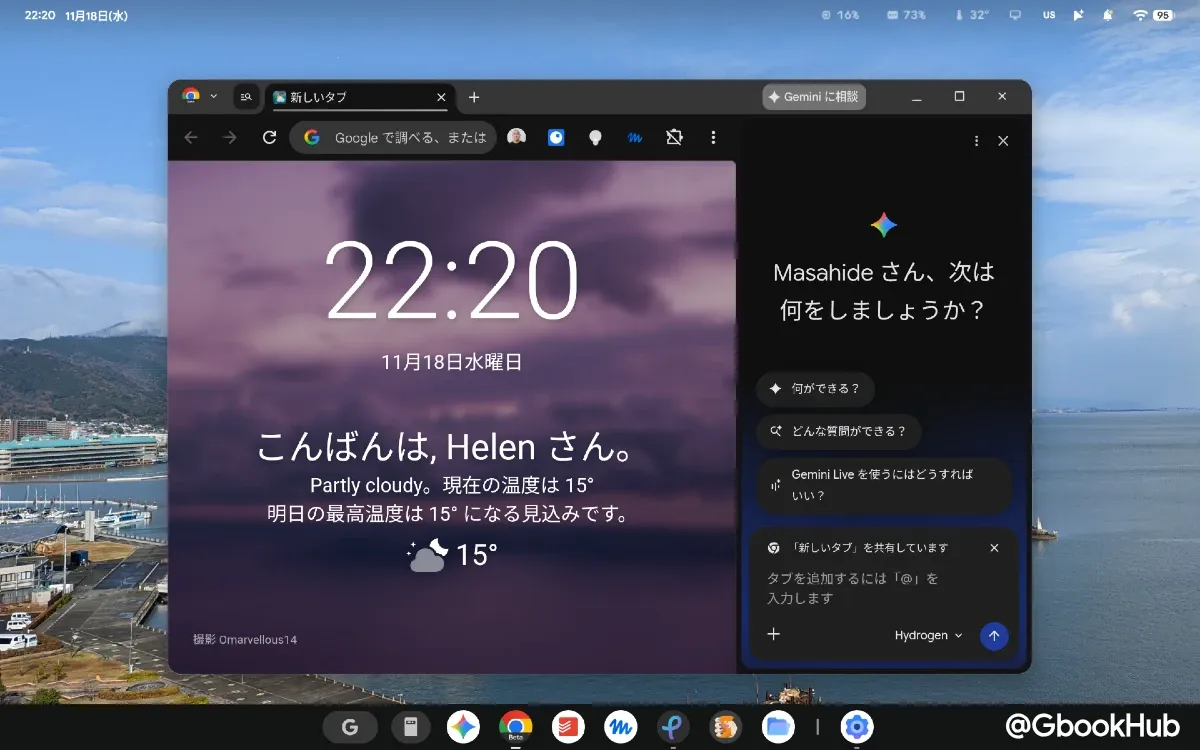
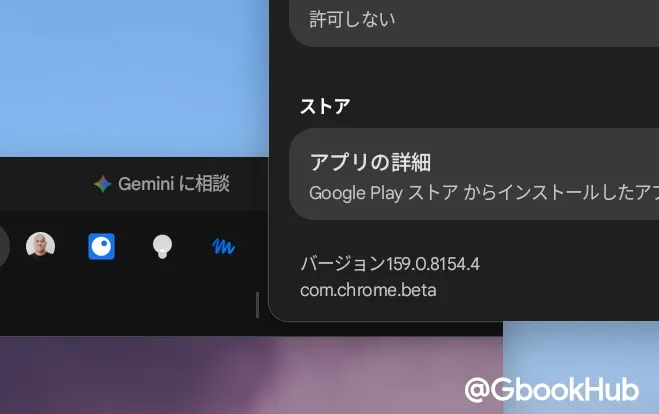
In Chrome Beta 159.0.8154.4 on Googlebook, I confirmed that you can add open tabs by typing @, upload files, and switch between models. Settings are accessible from [⋮] > [Gemini in Chrome], where you can adjust options such as pinning the Gemini button, keyboard shortcuts, location access, and tab-sharing permissions.
However, Skills and Select from screen are not available, and I found no related flags for them. Aside from these two features, the available functionality is nearly identical to Gemini in Chrome on Windows, macOS, and Chromebook Plus.
What the Chrome 159 Enterprise Release Notes Add
In the Chrome 159 release notes, Google states that Gemini is now integrated into Chrome on macOS, Windows, iOS, Android (including Googlebook OS), and certain ChromeOS devices. The integration includes both text chat and voice-based Gemini Live so users can get key takeaways, clarify concepts, and find answers without leaving their Chrome tab.
The release notes also outline recent rollout milestones and administrator controls across platforms:
- Chrome 158 (Android): Gemini in Chrome is gradually rolling out to Chrome on Android tablets in a side panel, allowing users to ask about the current page and open tabs. Administrators can manage it using the same policies as Android phones.
- Chrome 159 (ChromeOS, macOS, Windows): Administrators can use the new
GeminiChromeFileUploadSettingspolicy to control whether managed users can upload local files into Gemini in Chrome. - General Admin Controls: Administrators can turn off Gemini in Chrome using the
GeminiSettingspolicy (value1) or theGenAiDefaultSettingspolicy (value2).
Although the Chrome 159 entry for GeminiChromeFileUploadSettings specifically lists ChromeOS, macOS, and Windows, local file uploads are already working on Googlebook in Chrome 159 Beta.
What to Do If Gemini in Chrome Does Not Appear
If you previously enabled Glic flags related to Gemini in Chrome, the feature did not appear in my testing with those flags active. Resetting the related flags back to Default resolved the issue.
On my Lenovo Googlebook 15, Gemini in Chrome did not show up at first because I had enabled flags earlier, whereas my Dell XPS Googlebook had default settings and displayed it right away. After returning the flags on the Lenovo unit to Default, Gemini in Chrome became usable there as well.
Expected Stable Release Timeline
Availability has only been confirmed in Chrome Beta so far, and Google has not announced when this rollout on Googlebook will reach the Stable channel. However, because it worked out of the box in a Japanese environment on both Qualcomm (Dell XPS Googlebook) and Intel (Lenovo Googlebook 15) models without requiring flags, it is likely to arrive with Chrome 159 Stable.
Chrome 158 Stable began rolling out gradually to Android on November 17, 2026, and Chrome 159 Stable is scheduled for release on December 8, 2026.