

"Wayfinder", a tabbed, dual-pane-capable file manager for Googlebook, has been released on Google Play.
Wayfinder delivers desktop-class file management capabilities to Googlebook OS. It was developed on physical hardware by Prajakta Gudadhe, VP of Engineering for Laptops & Tablets at Google, using the "Antigravity" development environment.
File management features including tabbed views and archive browsing
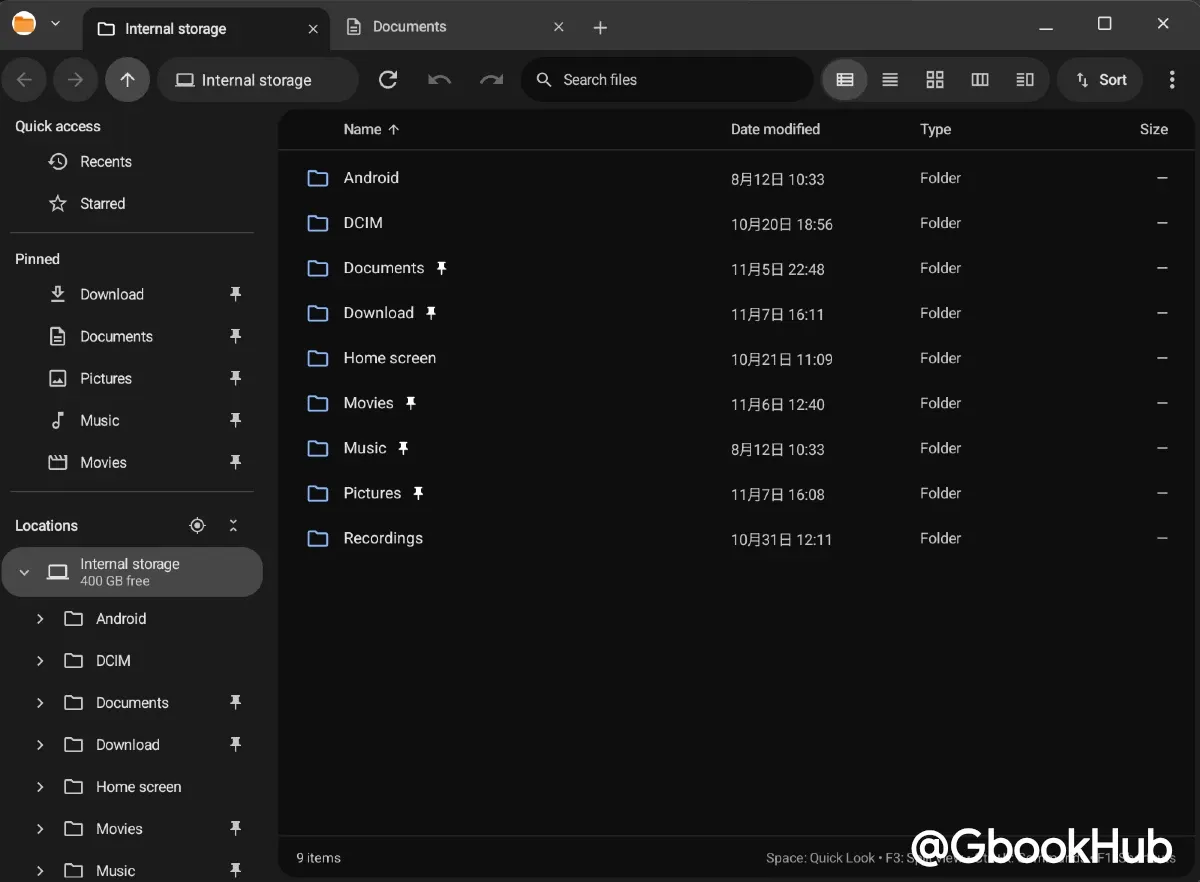
With a tabbed title bar, users can open and switch between multiple directories within a single window seamlessly.
It includes a built-in archive browsing feature that allows users to inspect the internal file structure of compressed archives like ZIP files without extracting them. Additionally, it supports direct connections to local storage as well as network shares via SMB, WebDAV, and FTP.
Upon initial launch or when opening a new window, the "Recents" view displays recently modified files across all storage, and frequently used files or folders can be pinned to the sidebar for quick access.
Four display modes tailored for different workflows
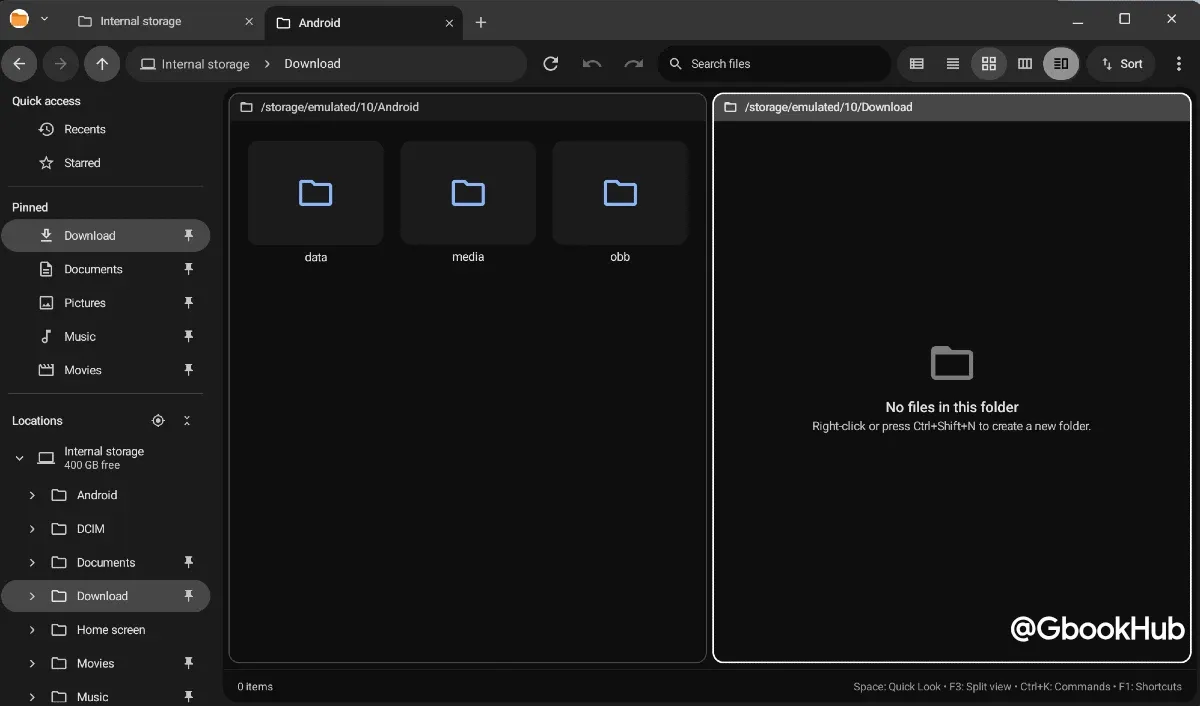
Users can switch between four display modes using keyboard shortcuts depending on their task.
-
Details View (Ctrl + 1): Displays file names, modified dates, file types, sizes, POSIX permissions, and color tags, with support for column resizing and sorting.
-
Grid View (Ctrl + 2): Displays rich thumbnail previews, supporting smooth trackpad pinch-to-zoom or shortcut controls (Ctrl + = / Ctrl + - / Ctrl + 0) for scaling.
-
Miller Columns (Ctrl + 3): Displays directory structures in horizontal cascading columns, similar to macOS Finder.
-
Dual-Pane Commander (Ctrl + 4 or F3): Displays two independent side-by-side file lists, allowing users to copy with F5 and move with F6.
Full support for tab operations and navigation via keyboard shortcuts makes it significantly more powerful than the stock Files app.
In testing, performance was generally snappy, although occasional unresponsiveness was observed during certain actions like switching tabs.
Wayfinder is available to download for free on Google Play, and its source code is accessible on GitHub under the parijat-star/wayfinder repository.