

Google's new text editor app "Text" for Googlebook has been spotted on the Google Play Store.
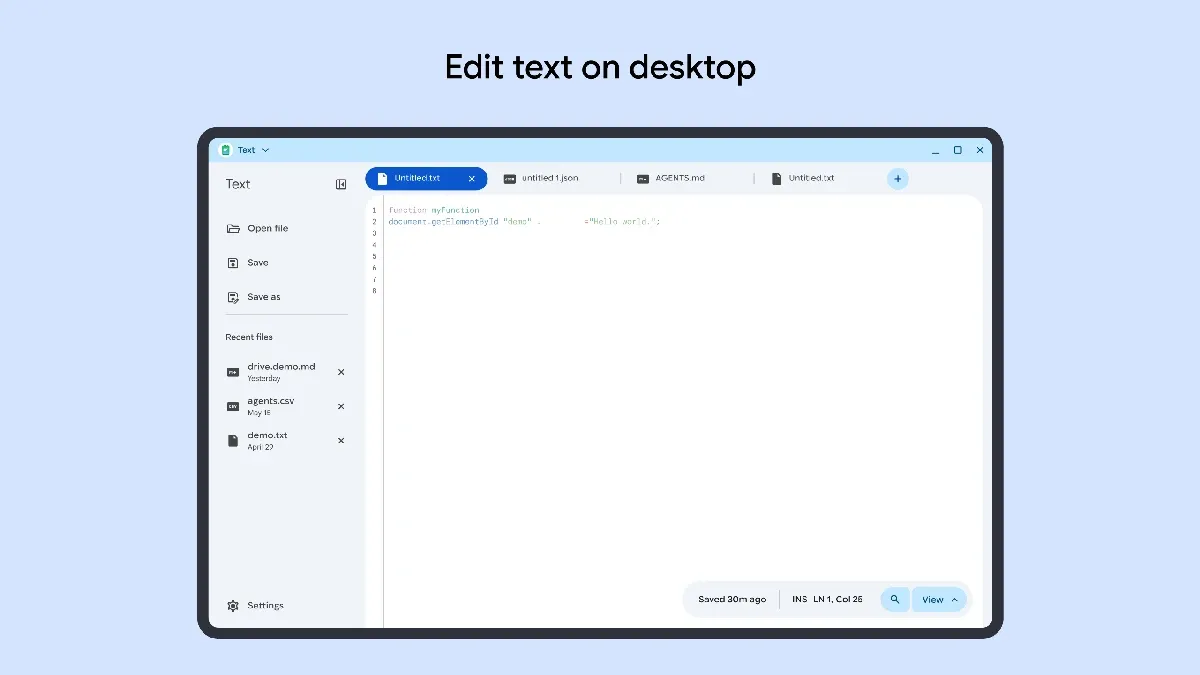
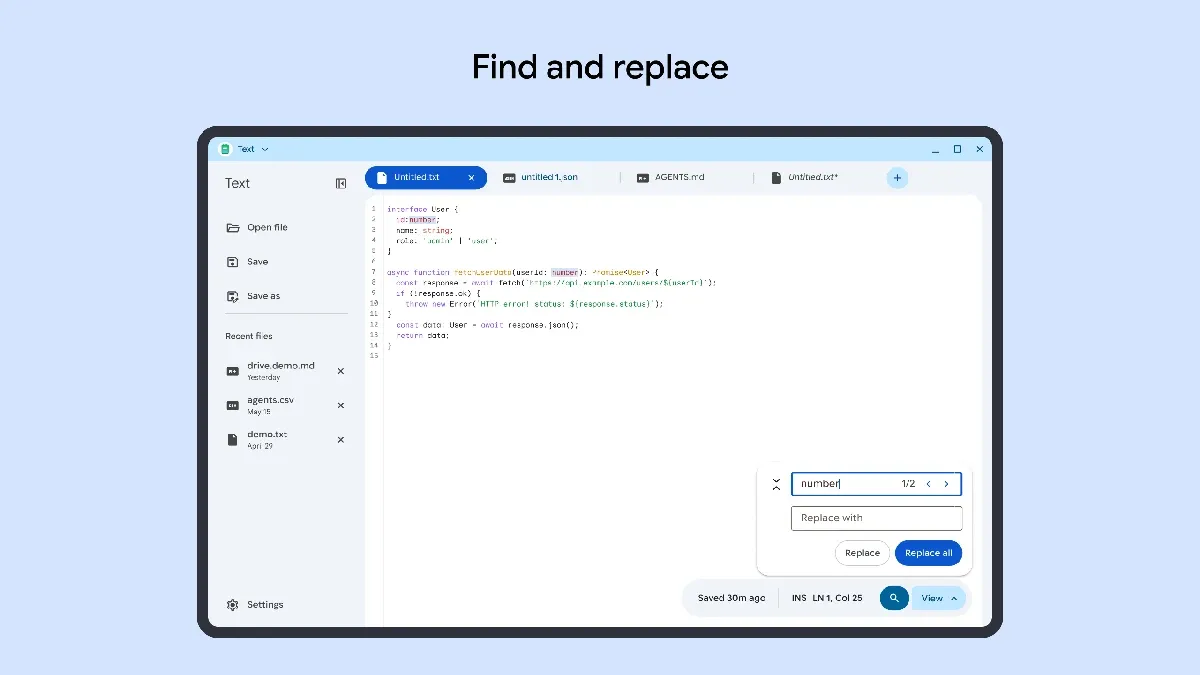
Described as a simple and lightweight text editor, screenshots indicate that it features multi-file tabbed browsing, syntax highlighting, and search and replace functionality.
Lightweight Editor Packed with Developer-Friendly Features
Based on available information and screenshots, the new Android version of the "Text" app includes fundamental features expected from modern text editors.
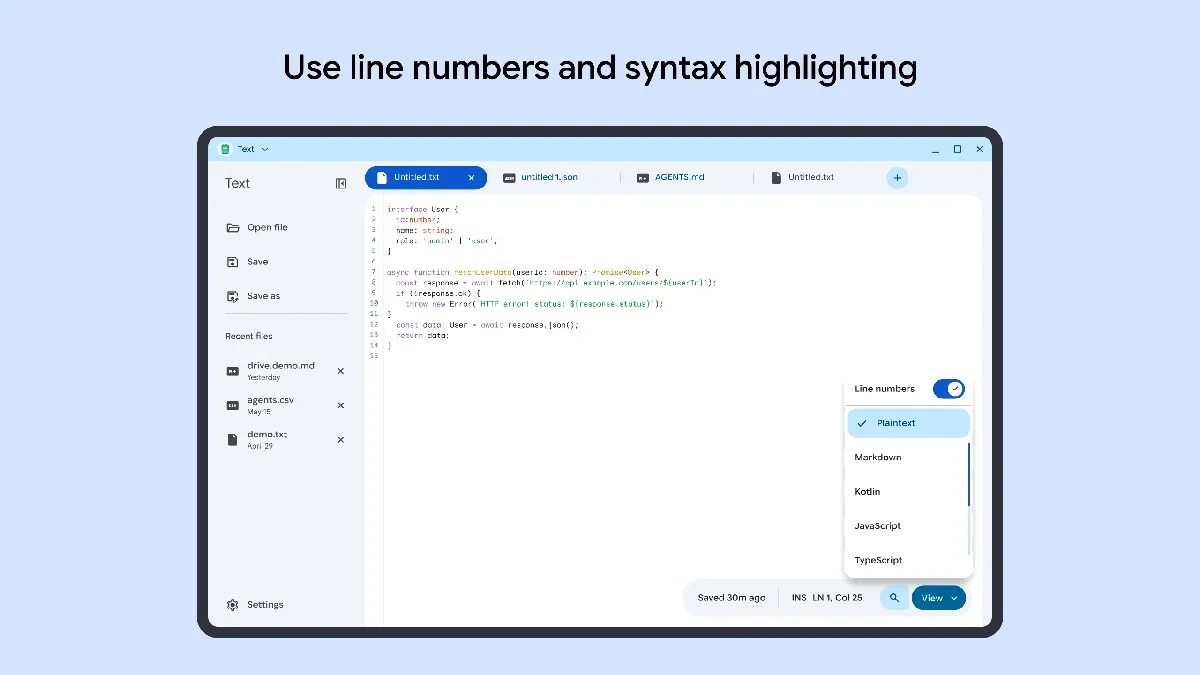
Notably, it supports syntax highlighting for various programming languages and displays line numbers. The currently confirmed supported languages and formats include:
-
Plaintext
-
Markdown
-
Kotlin
-
JavaScript
-
TypeScript
-
Python
-
HTML
-
CSS
-
JSON
-
Java
-
C++
-
Rust
-
Go
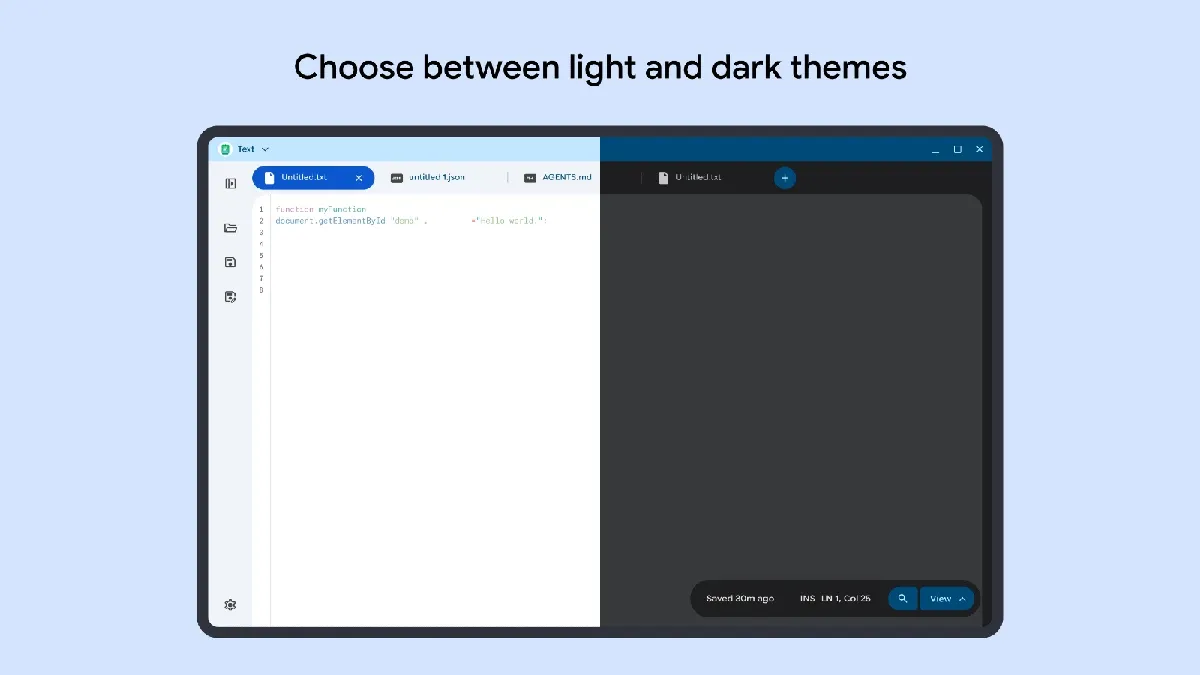
The editor includes essential code editing functions such as search and replace, alongside support for switching between light and dark themes. The interface utilizes a tabbed layout to facilitate working with multiple open files simultaneously.
For large-screen devices such as desktops and tablets, a sidebar is positioned on the left side of the screen, providing quick access to options like "Open," "Save," and "Recent files."
A Modern Successor to the Classic ChromeOS App
Google previously offered a text editor of the same name, "Text," for Chromebooks via the Chrome Web Store. The legacy app also featured tabs and syntax highlighting, and this newly introduced Android version appears to inherit its clean, lightweight design philosophy.
Because Android apps run natively on Googlebook, users can choose from a wide range of feature-rich third-party editors available on the Play Store. However, the listing of an official, lightweight, and streamlined text editing app from Google provides a valuable option for users seeking quick code editing or note-taking.
Currently, Google has not officially announced whether the "Text" app will be expanded to general Android devices beyond Googlebook. However, testing shows that the user interface layout optimizes according to screen size on smartphones and tablets, suggesting the possibility of a broader rollout to general Android devices in the future.