The “Pixel Weather” app, which was previously exclusive to Pixel devices, can now be installed and used on Googlebook via the Google Play Store.
While Google has not officially announced compatibility at this time, we have confirmed that the “Weather” app can be installed from the Play Store on devices like the Lenovo Googlebook 15 and Dell XPS Googlebook, and that desktop widgets are fully functional.
The verified version of the “Weather” app is “1.1.20260716.979549101.release”.
Similarities and Differences with Pixel Devices
Although it appears as “Weather” in the Googlebook’s Google Play Store and launcher, it is recognized as “Pixel Weather” in screens such as the widget picker.
The app layout and design match those on Pixel phones and the Pixel Tablet, displaying current temperatures, feels-like temperatures, as well as daily highs and lows.
It also lists various weather metrics including hourly forecasts, 10-day forecasts, radar maps, precipitation, UV index, wind speed, air quality, and humidity.
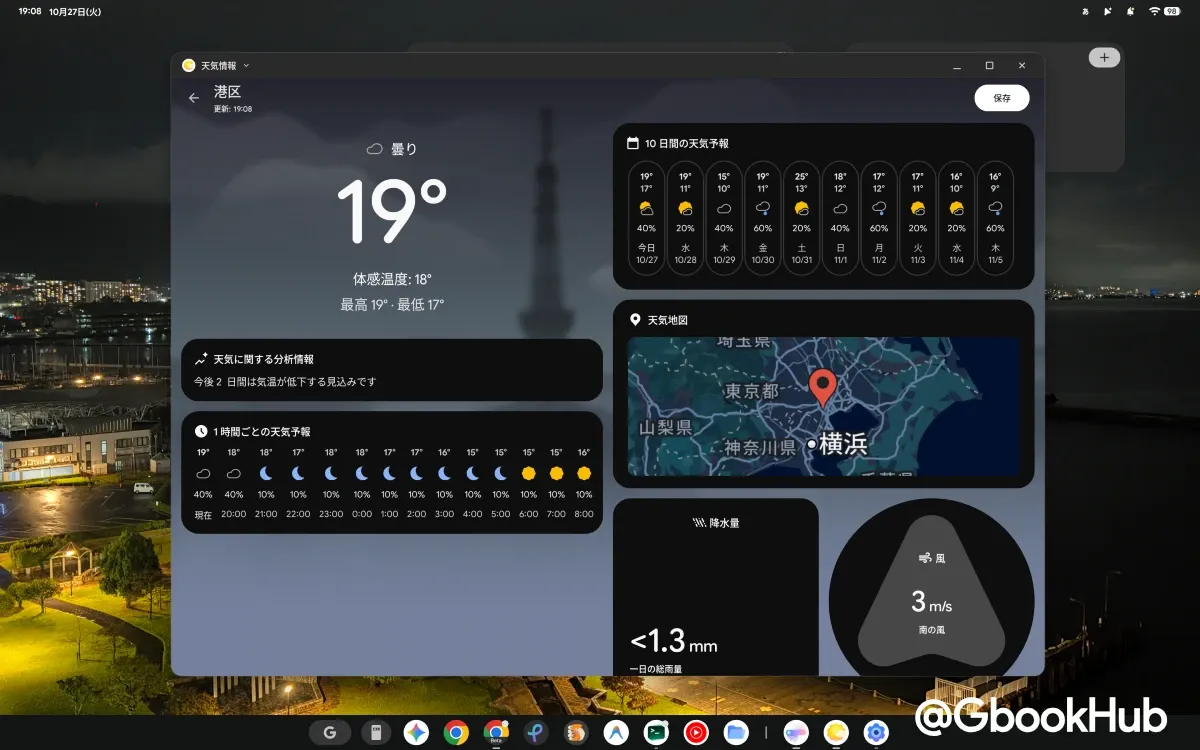
Furthermore, if you log in with the same Google Account used on an existing Pixel device, your “Saved locations” will automatically sync to your Googlebook.
In the settings menu, options for changing temperature/wind units and notifications for forecasts/precipitation are available. However, Pixel-exclusive features like “AI weather report” generation and “Weather vibrations” are not present on Googlebooks.
Two Types of Desktop Widgets
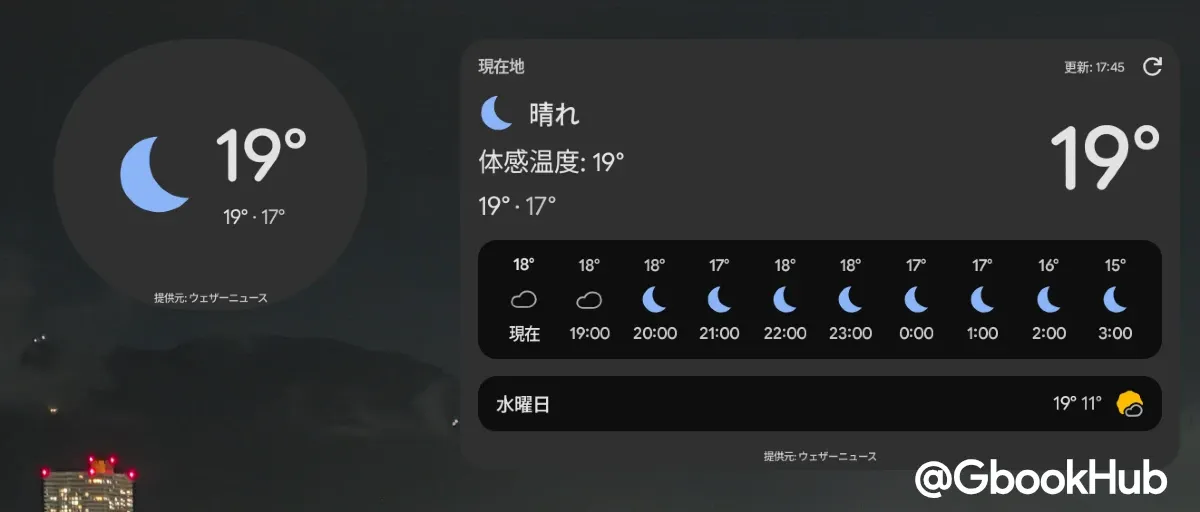
You can place the same two widget types on the Googlebook desktop as on Pixel devices. The available sizes and display options are:
-
Forecast (5 × 3): Displays weekly forecasts and hourly trends in a consolidated layout.
-
Current weather (2 × 2): Displays local weather and current temperature in a compact format.
Clicking on a widget launches the “Weather” app, allowing you to review full weather details right on your desktop. An update button and the last updated time are also shown in the top-right corner of the widget.