
A keyboard-centric command launcher app for Googlebook, "Booklight: Delightful Launcher", has been released on Google Play.
Booklight is a launcher app that allows you to launch apps, perform web searches, and execute various tools using keyboard shortcuts. It was developed on actual devices using "Antigravity", the Googlebook OS development environment, by Alexander Kuscher, VP of Laptops & Tablets at Google.
Execute Various Actions Using Only the Keyboard
By default, pressing the "Action + Quick Insert" shortcut keys displays a panel on the desktop where you can enter search terms. By combining Tab or Enter key presses after typing, you can launch apps, change settings, or perform web searches.
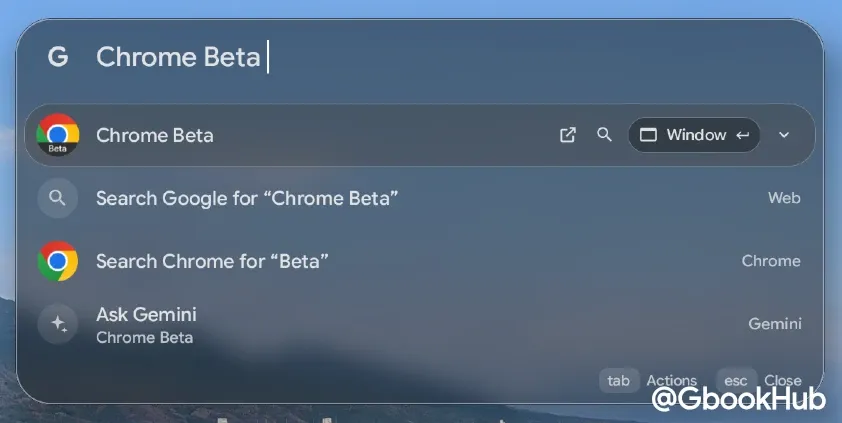
It also supports searching via browser. In addition to entering URLs or search terms directly to search the web, typing a site keyword followed by a space allows you to search directly within a specific website.
For example, simply typing "youtube lofi", pressing the Down Arrow key once, and pressing Enter will display the YouTube search results page.
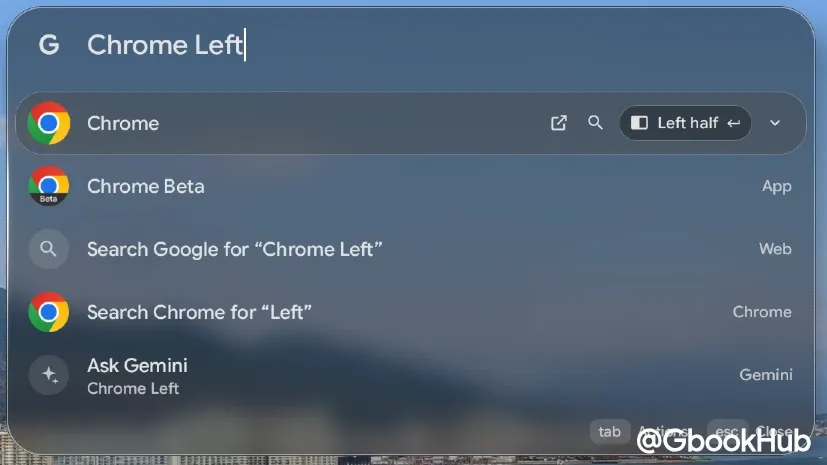
Window management and in-app actions are also integrated: pressing Tab allows you to specify in-app searches or media playback, while entering commands such as "chrome left" snaps windows to the side of the screen.
App Search and Adaptive Shorthand
The search feature works not only with the initial letters of app names, but also with words or initials contained within their titles. Entering names or words for setting items also lets you directly access the corresponding settings page.
Additionally, it features an "Adaptive Shorthand" capability that automatically learns the relationship between user input strings and selected items, ensuring frequently used items are prioritized at the top of search suggestions based on usage patterns.
Task Creation, Utilities, and Integrations via Commands
Booklight lets you execute processes by directly entering commands or formulas into the panel.
-
Natural Language Schedule Creation: Supports creating emails, notes, or starting timers with a single line of command input. Entering natural language text such as "Add dinner with Sam tomorrow at 7pm to the Team calendar" analyzes the date, time, and content in real-time to register it to Google Calendar.
-
Inline Calculations and Various Tools: Simply enter formulas like "150 + 20%" or "12 * 3.5" and press Enter to copy the calculation results to the clipboard.
-
Quick Operations: Adjust volume and screen brightness using the arrow keys, control music playback, and access emoji/symbol pickers, international characters, and password generation tools.
-
Clipboard and Gemini Integration: Immediately after copying text or a URL, pressing Tab enables on-device translation or calendar registration, as well as sending entered prompts directly to the Gemini app.
Booklight is currently available for free download on Google Play.