

If you use the Gboard beta on a Googlebook, a setting is now available that lets you choose how long to keep your clipboard history, up to 24 hours.
According to Android Authority, AssembleDebug reported that the setting was added in version 18.8.0 of the Gboard beta for Android, and I was able to confirm it in the Gboard beta on a Pixel 11 Pro and a Googlebook.
Choose a Clipboard Retention Period of Up to 24 Hours
Previously, Gboard's clipboard automatically cleared copied text and images after 1 hour unless they were pinned. With the new setting, you can choose from seven retention periods: 1 hour, 2 hours, 3 hours, 6 hours, 12 hours, 18 hours, and 24 hours.
You can change this setting by adjusting the "Keep clipboard history for" slider under Clipboard in Gboard settings.
The current selection appears below the setting name (for example, "18 hours"), and tapping "Use default" below the slider resets it to 1 hour.
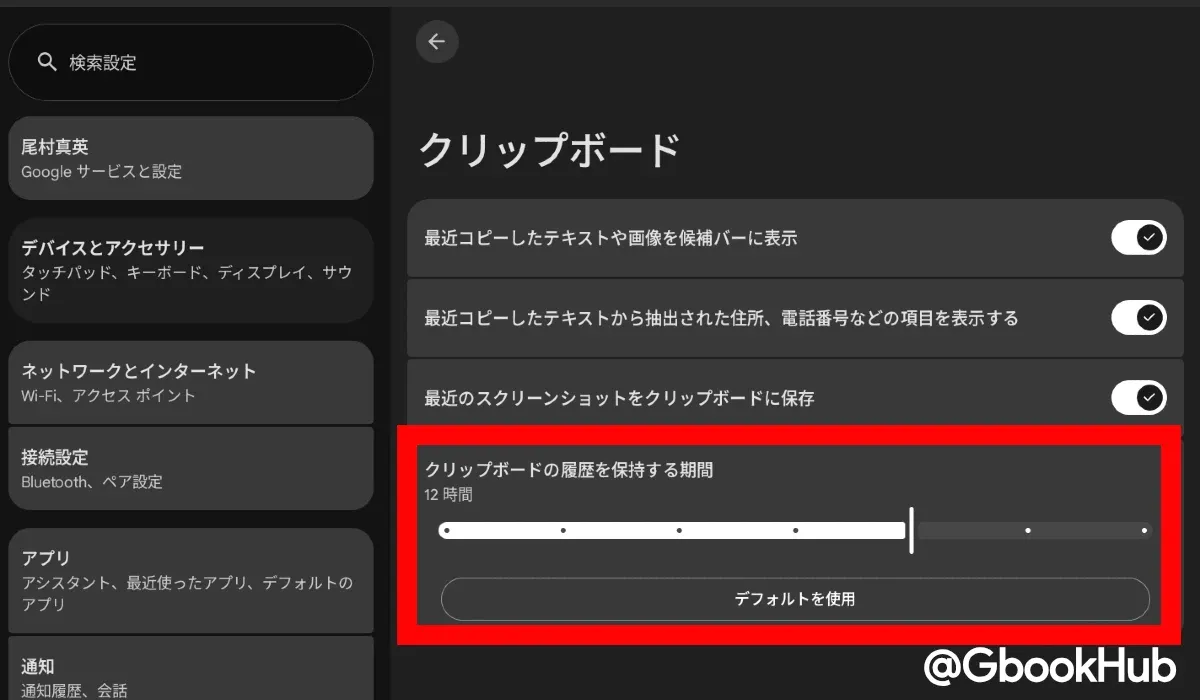
Until now, pinning an item was the only way to keep it for more than an hour. This change saves you the trouble of pinning links, addresses, or snippets of text that you want to reuse a few hours later. However, the "Recent" section of the clipboard only displays up to five items, so keep that in mind if you copy multiple items in a row.
Currently Rolling Out in Beta
At this time, the feature has been confirmed in version 18.8.0 of the Gboard beta app for Android, though it is unclear whether it has rolled out to all beta users.
It is also unclear when this feature will arrive in the stable version, but since it does not appear to have any major issues, it could become available soon.